
The Promo-Discounts section gives you a full view of all coupons for your event, with filtering, bulk actions, and export tools.
Go to Registration → Tickets → Promo-Discounts in the sidebar.
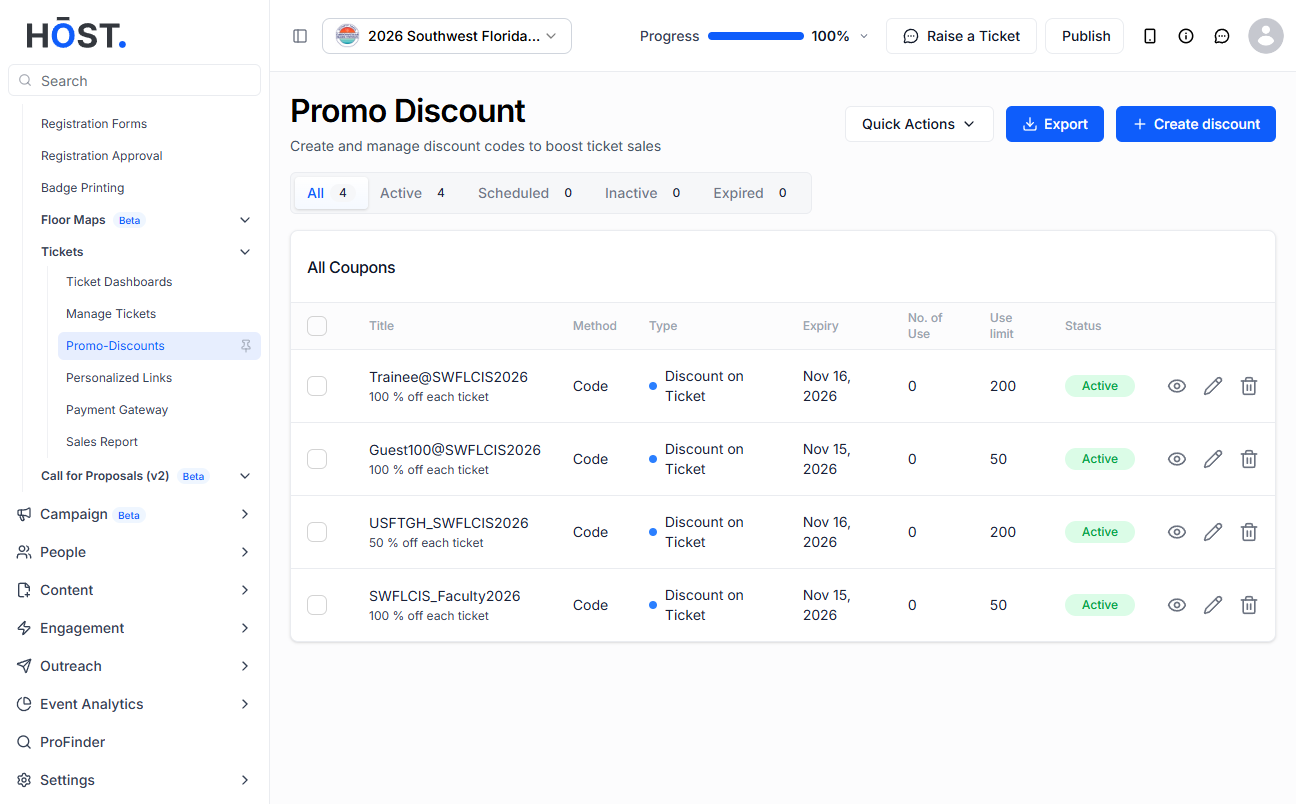
Each coupon is displayed with the following details:
Use the Search field at the top of the list to filter coupons by code.
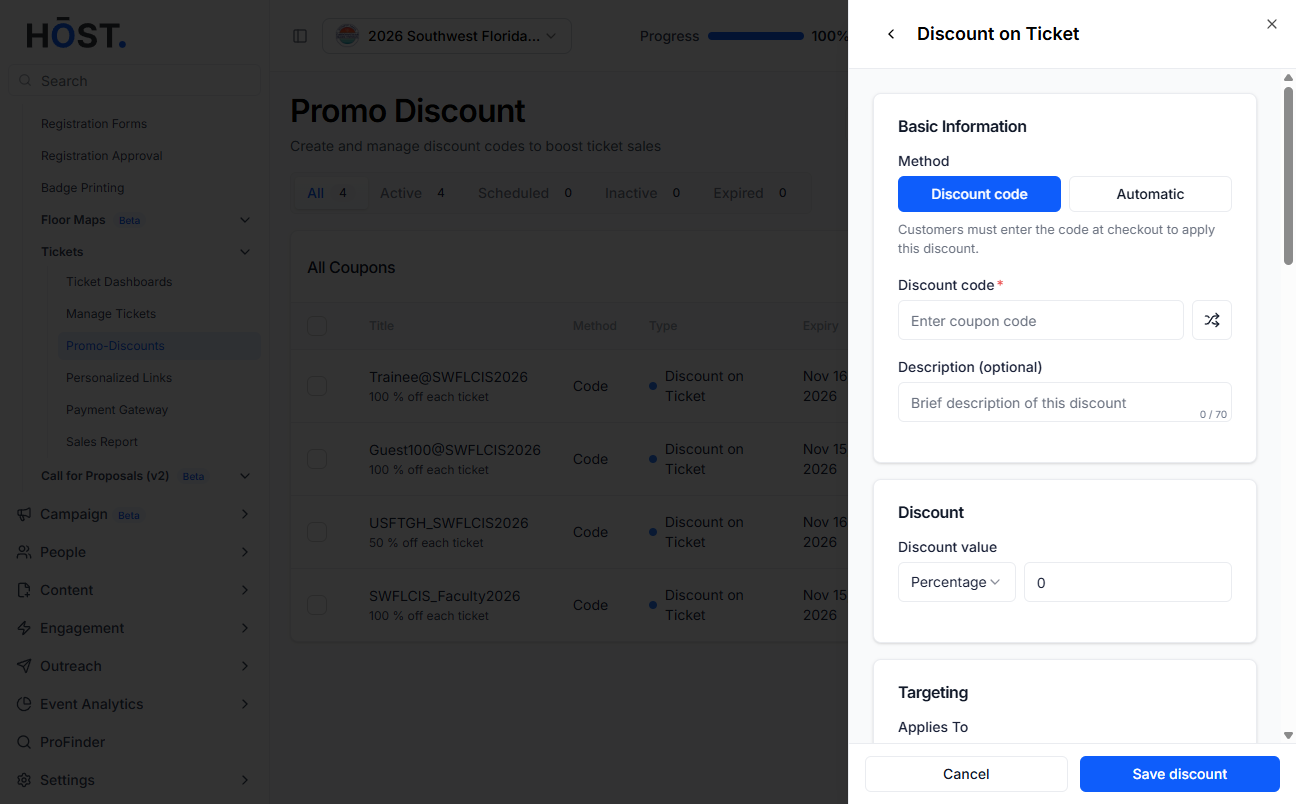
Click the pencil icon on a coupon row to reopen its form and edit any field.
Note: The coupon code cannot be changed once at least one redemption has occurred.
Click the trash icon to delete. Deletion is only available if the coupon has zero redemptions. If a coupon has been used, disable it instead.
Click the eye icon on any promo code row to access its direct promo link and embed options, where you can copy a URL that automatically applies the discount, open it via Visit, or use the provided iFrame code to embed the ticket page with the promo applied on your website, with an option to hide the header for a cleaner display.
Click the Export Coupons button to download all coupons for this event as an Excel file. This includes code, type, status, usage counts, and dates.
Use the Quick Actions and click on Import Multiple Promo-Discounts option (available in the action dropdown) to bulk-upload coupon codes from a file.
