
HOST supports two types of basic discount coupons: Discount on Ticket (a reduction applied per ticket) and Discount on Order (a reduction applied to the total order value). Both are created from the same form.
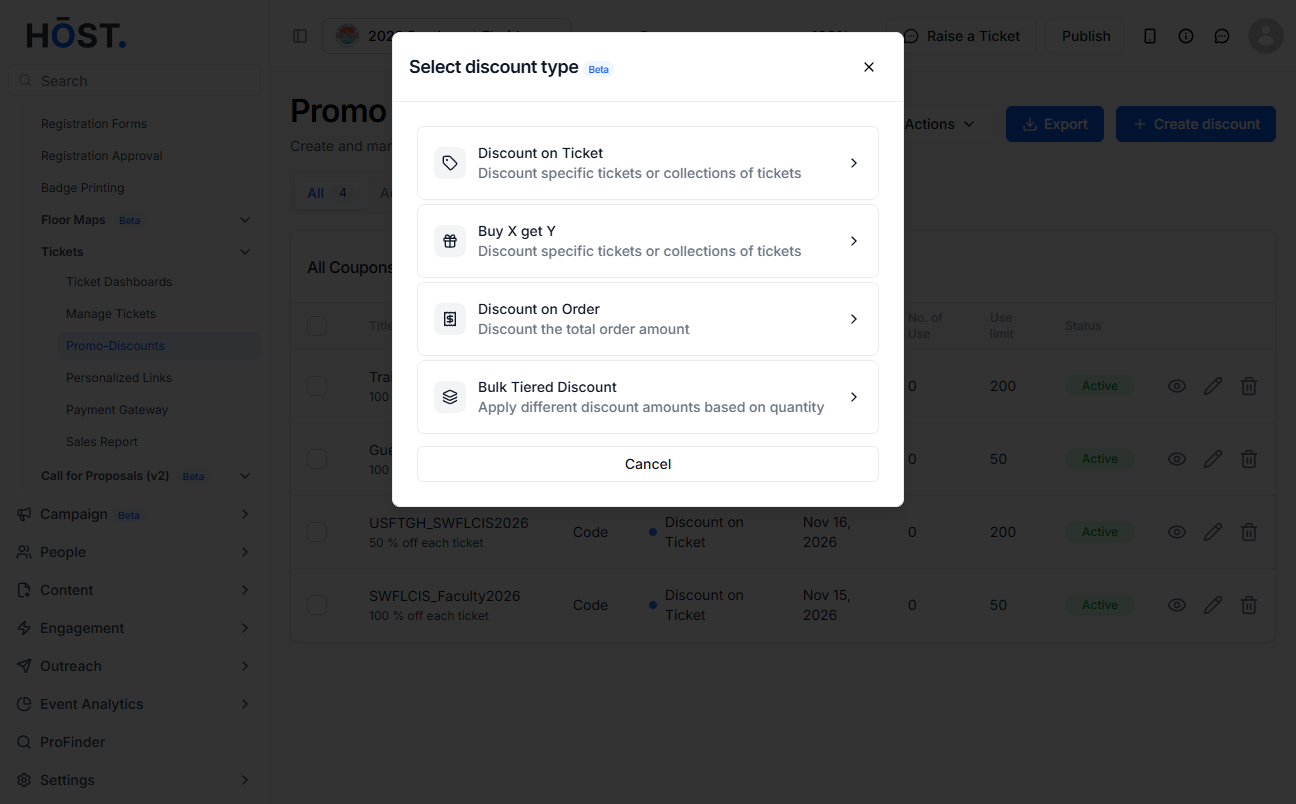
In the left sidebar, go to Registration → Tickets → Promo-Discounts. Click the Create discount button.
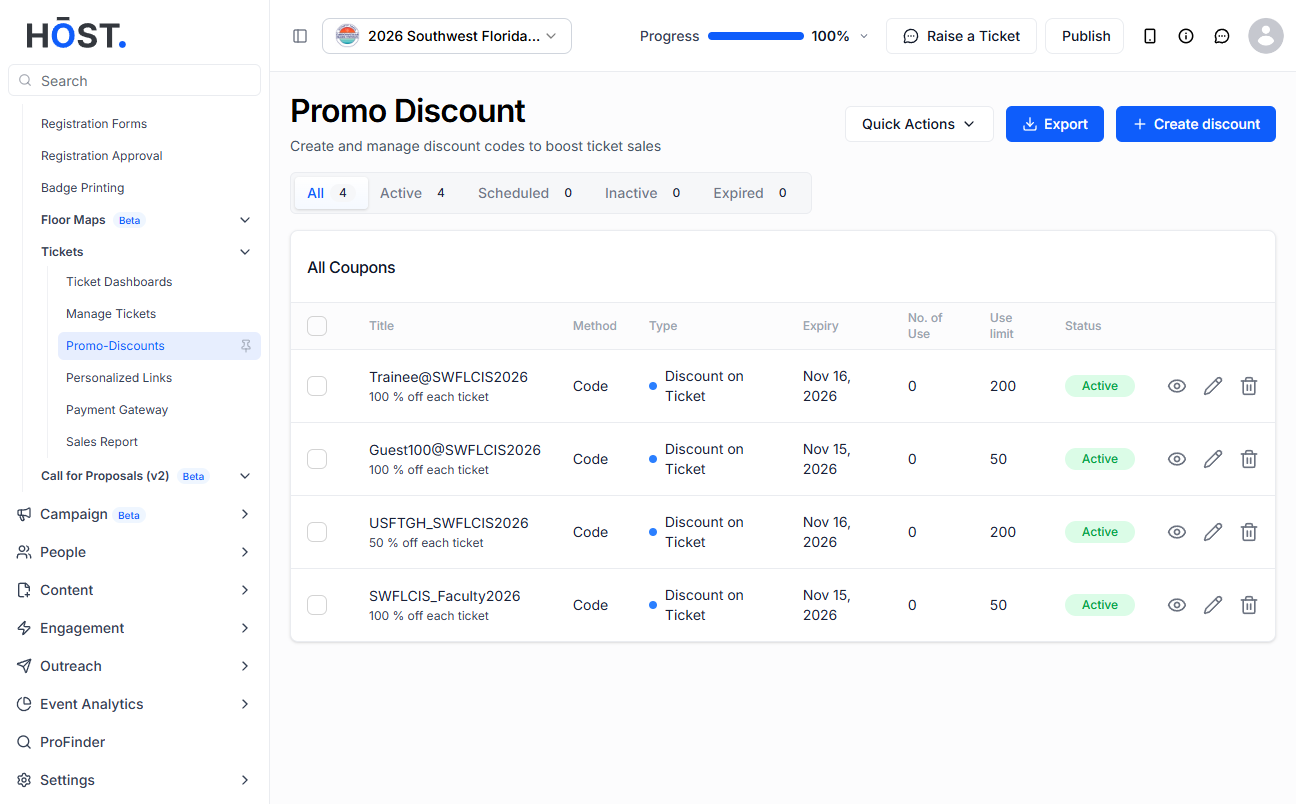
Choose either Discount on Ticket or Discount on Orde
(For Buy X Get Y and Bulk Tiered, see their separate articles.)
Coupon codes must be unique within your event. For discount code, customers must enter the code at checkout to apply this discount. For automatic, discount will be automatically applied at checkout when conditions are met.
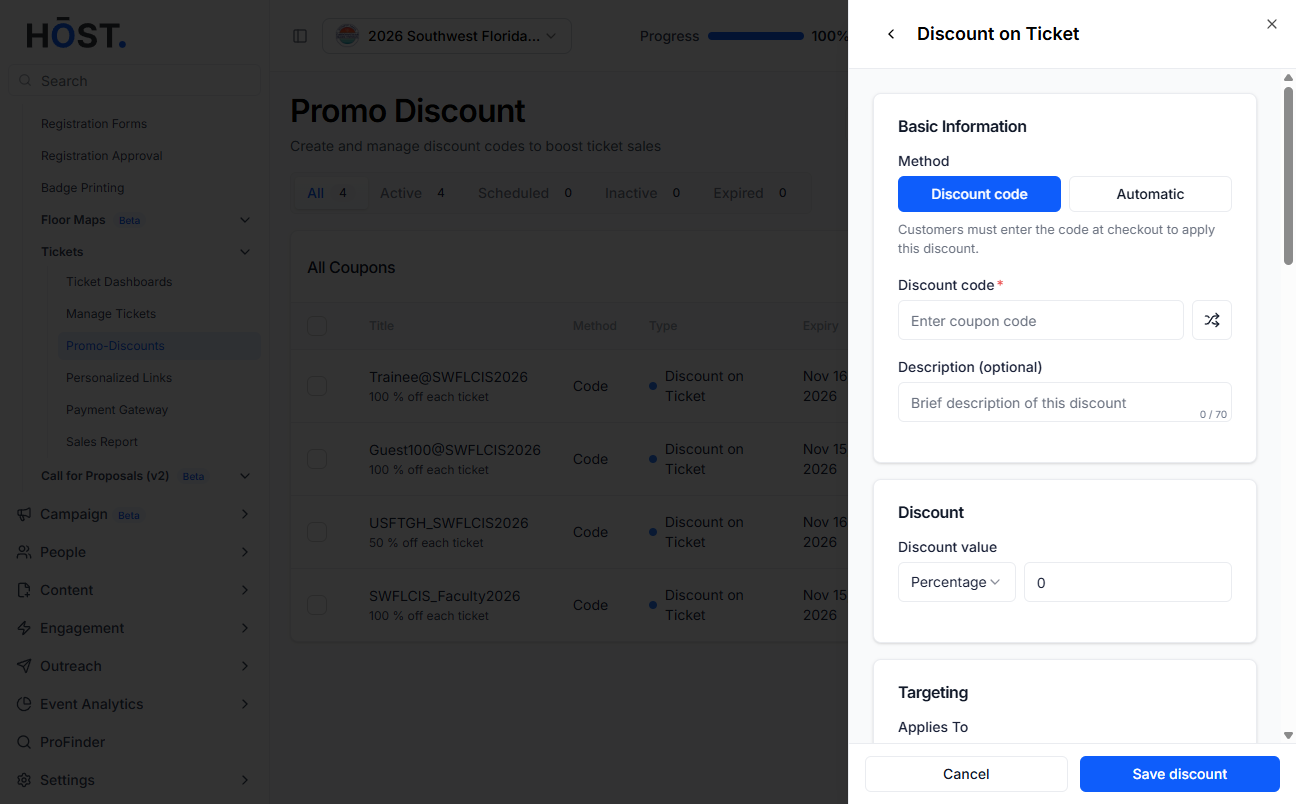
Select the discount type, either percentage or fixed amount, and enter the value you want.
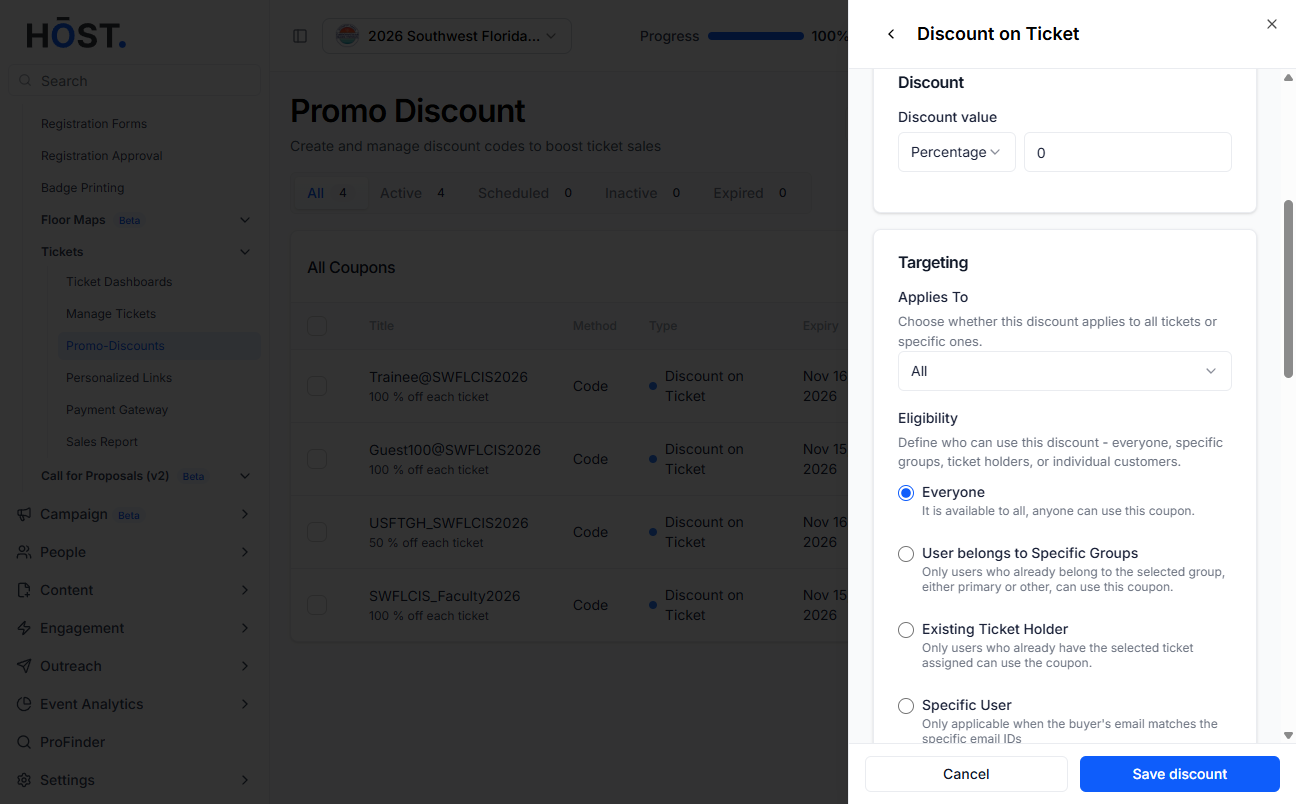
Select whether the discount should apply to all tickets or only specific tickets.
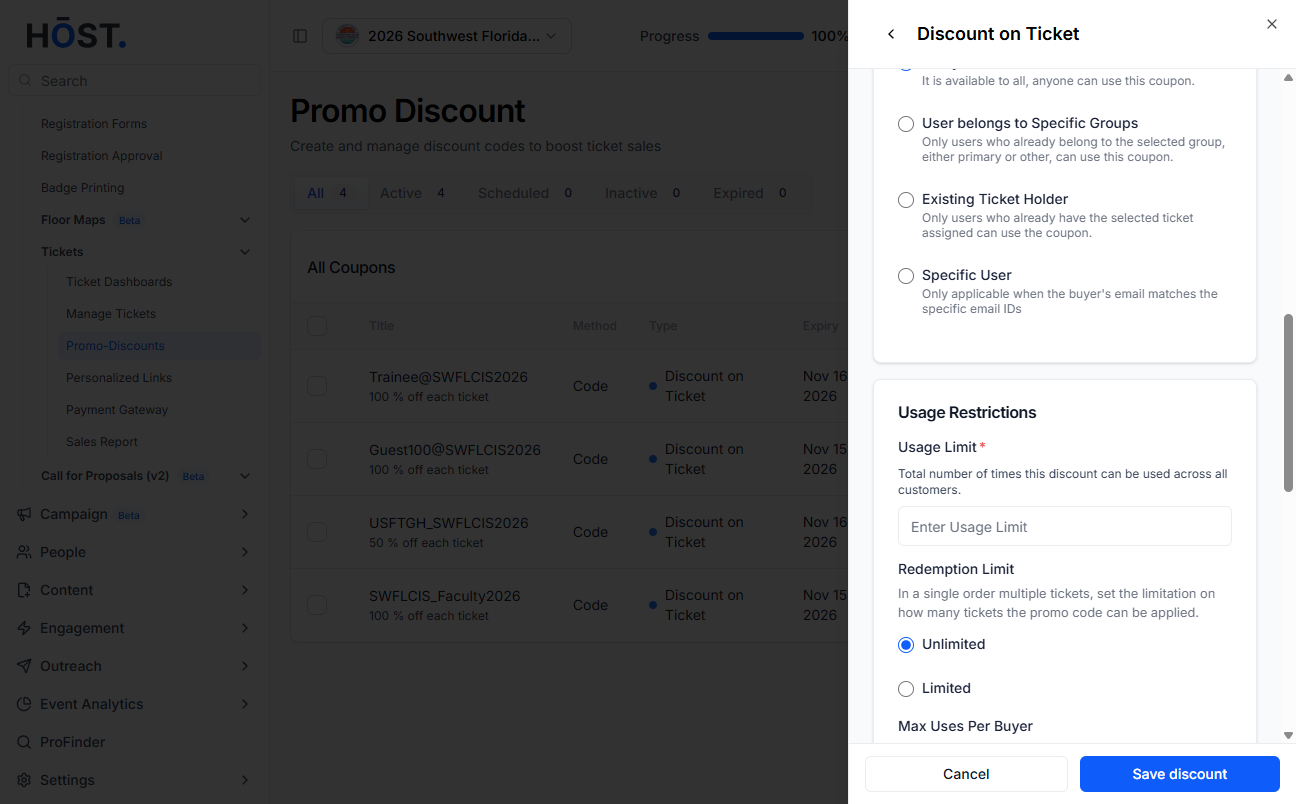
Define who can use the coupon by selecting from options such as everyone, specific groups, existing ticket holders, or specific users.
Configure how the coupon can be used by setting the total usage limit, redemption limits per order, and maximum uses per buyer if needed.
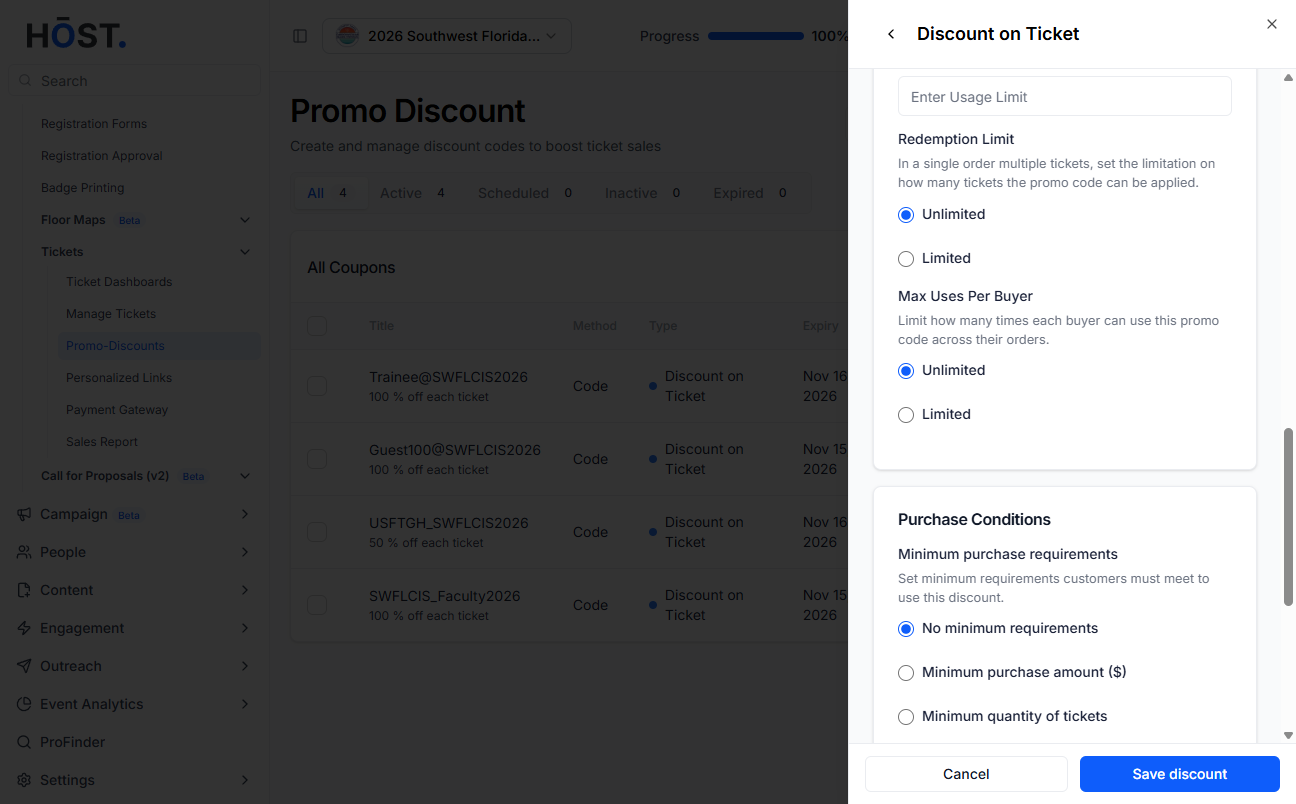
Define any minimum requirements customers must meet, such as a minimum purchase amount or minimum ticket quantity, or leave it with no minimum requirements.
Enter a Discount Start Date and Discount End Date. Both are required. The end date must be on or after the start date. Dates are evaluated in your event’s timezone.
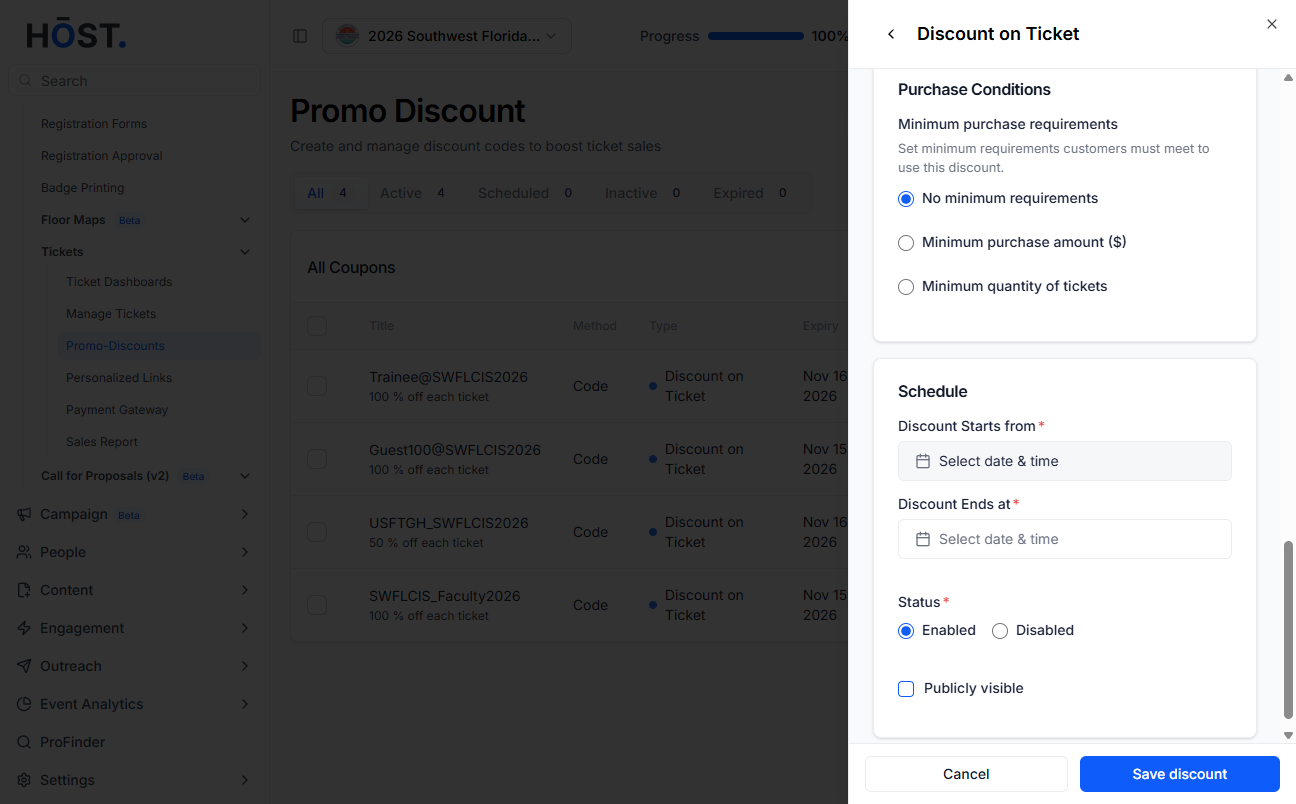
Set the discount status to Enabled or Disabled, then click Save discount.
