The Badge Printing section lets you design custom name badge templates and generate printable PDFs for your attendees. Templates can include attendee data fields (name, email, ticket type, custom form responses) and QR codes.
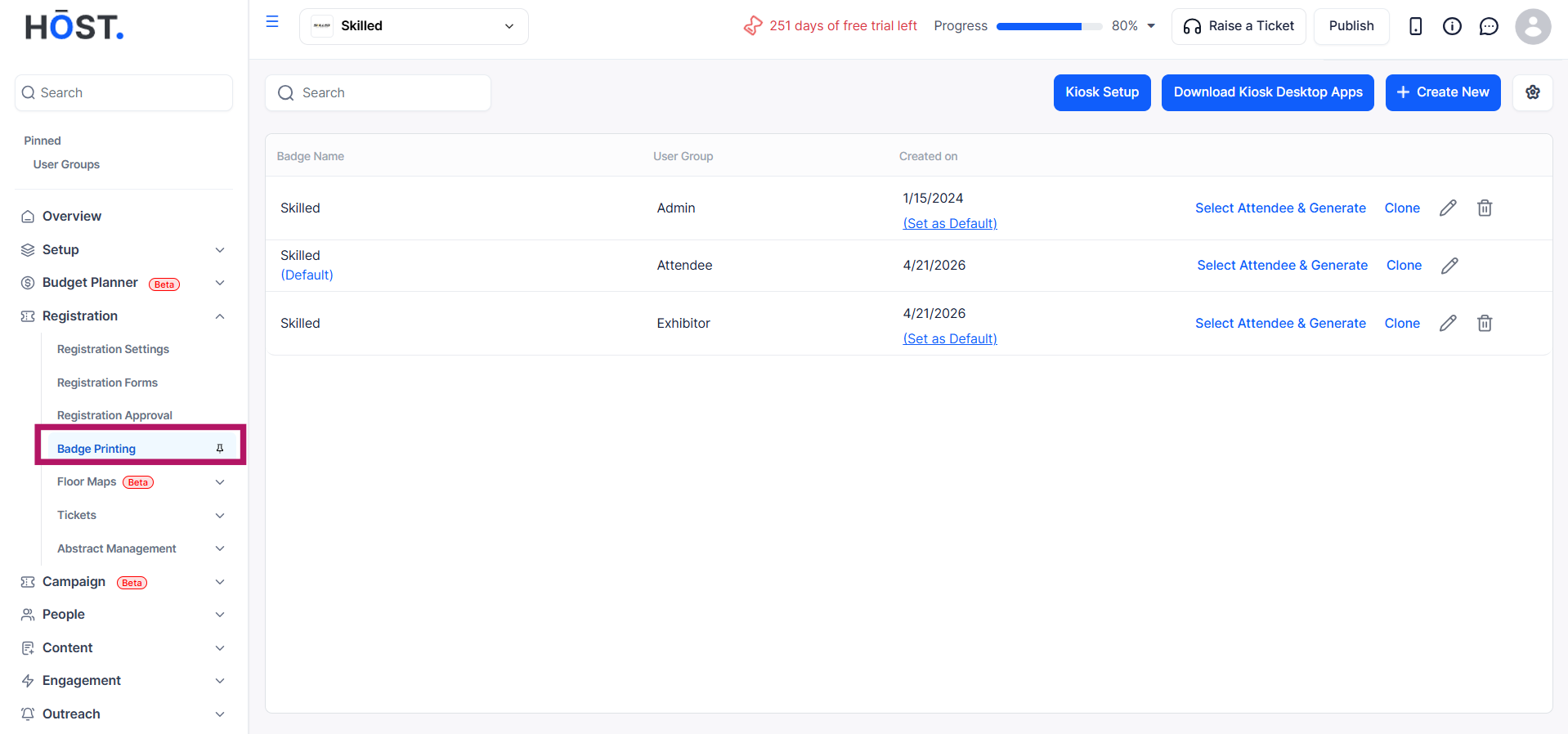
Go to Registration → Badge Printing in the sidebar.
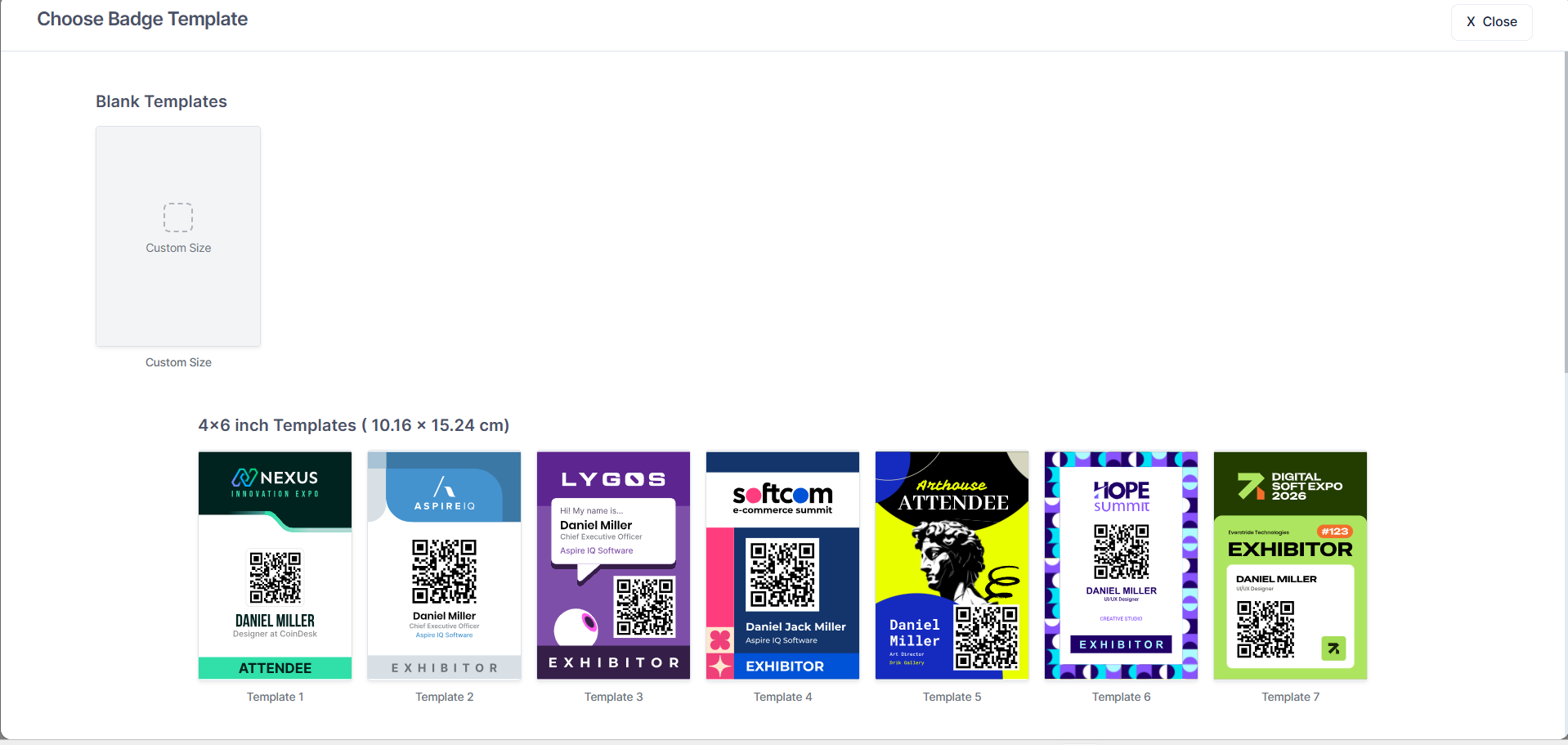
Click on Create New to create a badge template. You can use the blank template or customise a pre-existing one.
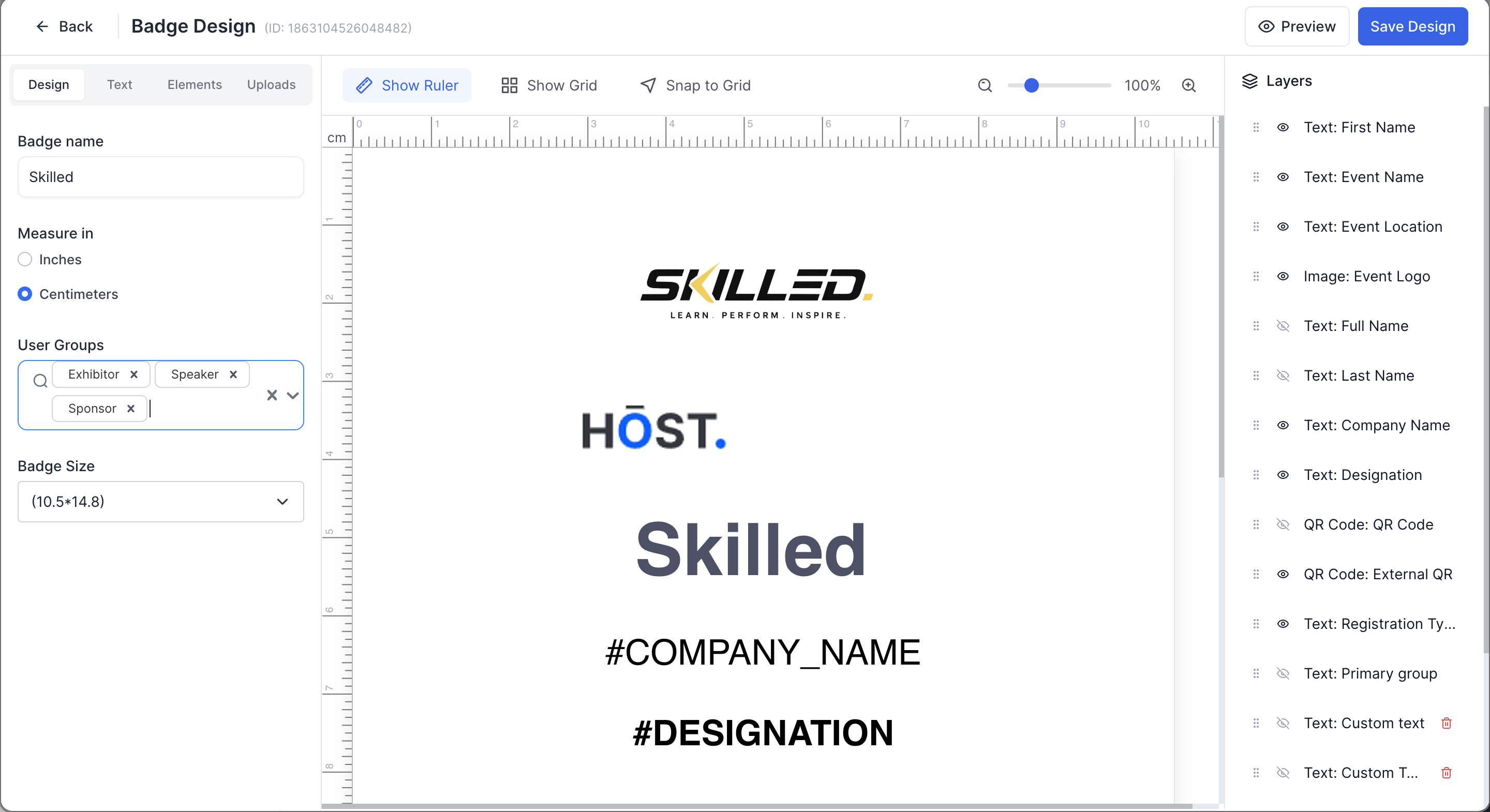
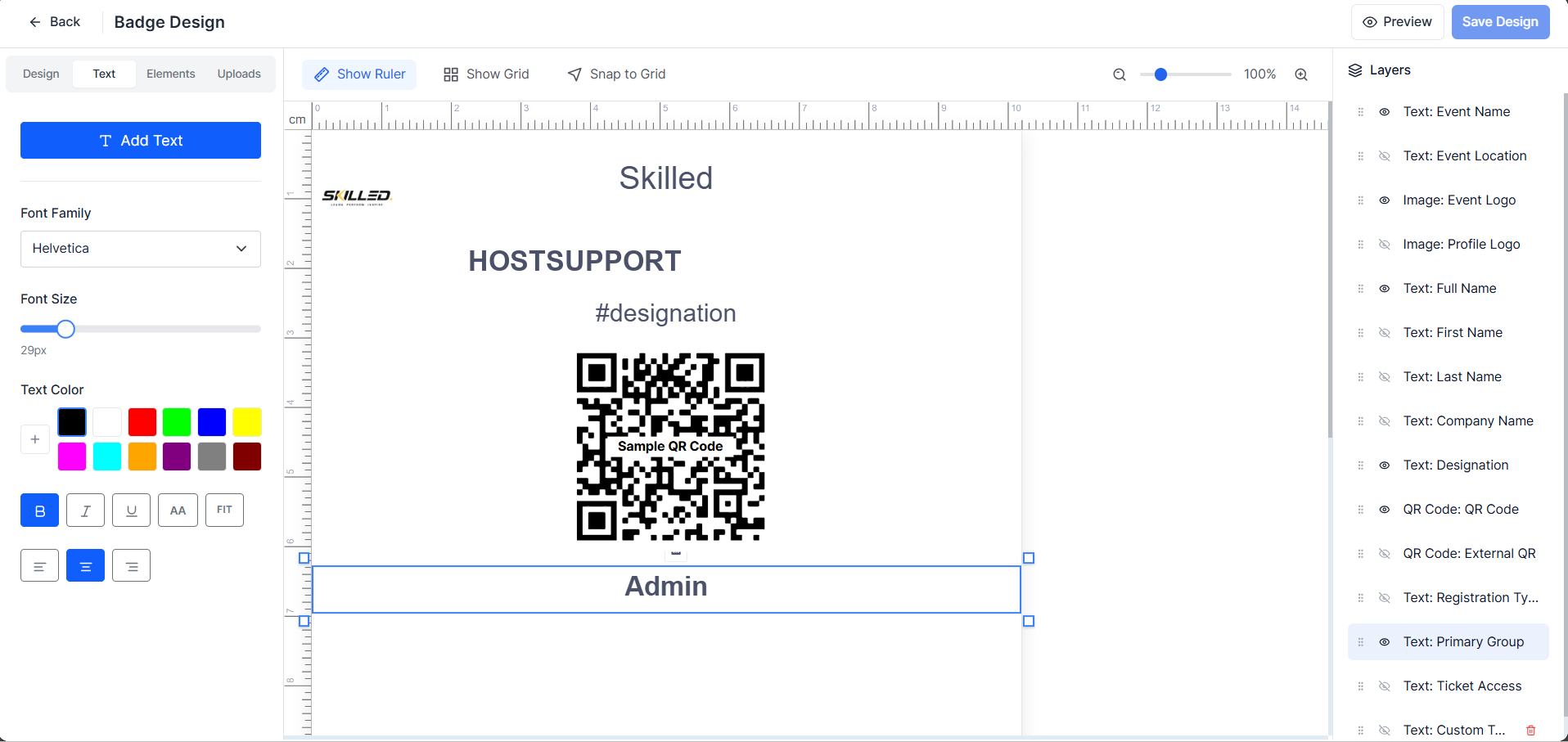
The badge designer provides a drag-and-edit interface where you can customise your layout and content. You can add and customise:
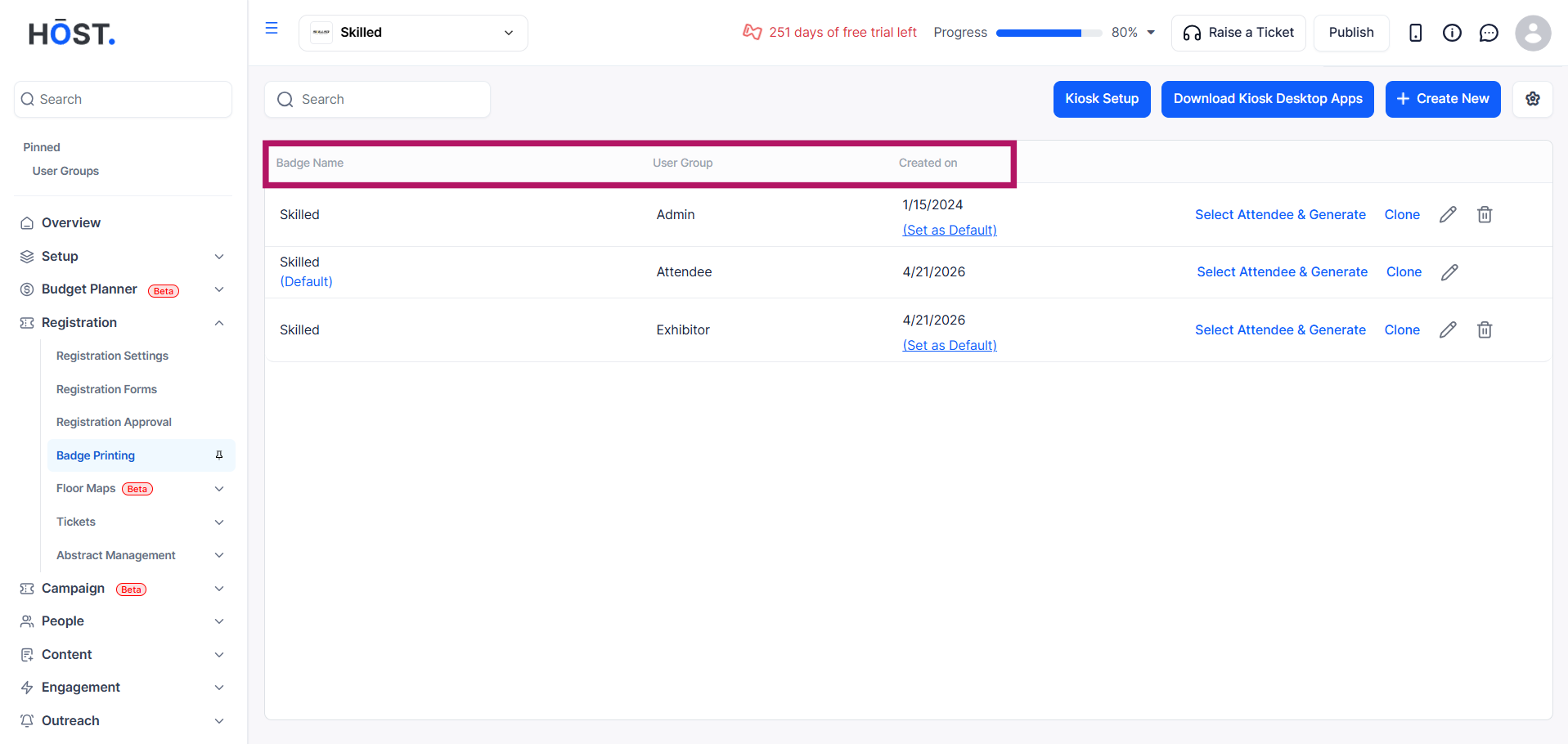
The template list displays the badge name, user group, and date created, along with actions such as Select Attendee & Generate, Clone, Edit, Delete, and Set as Default for a badge.
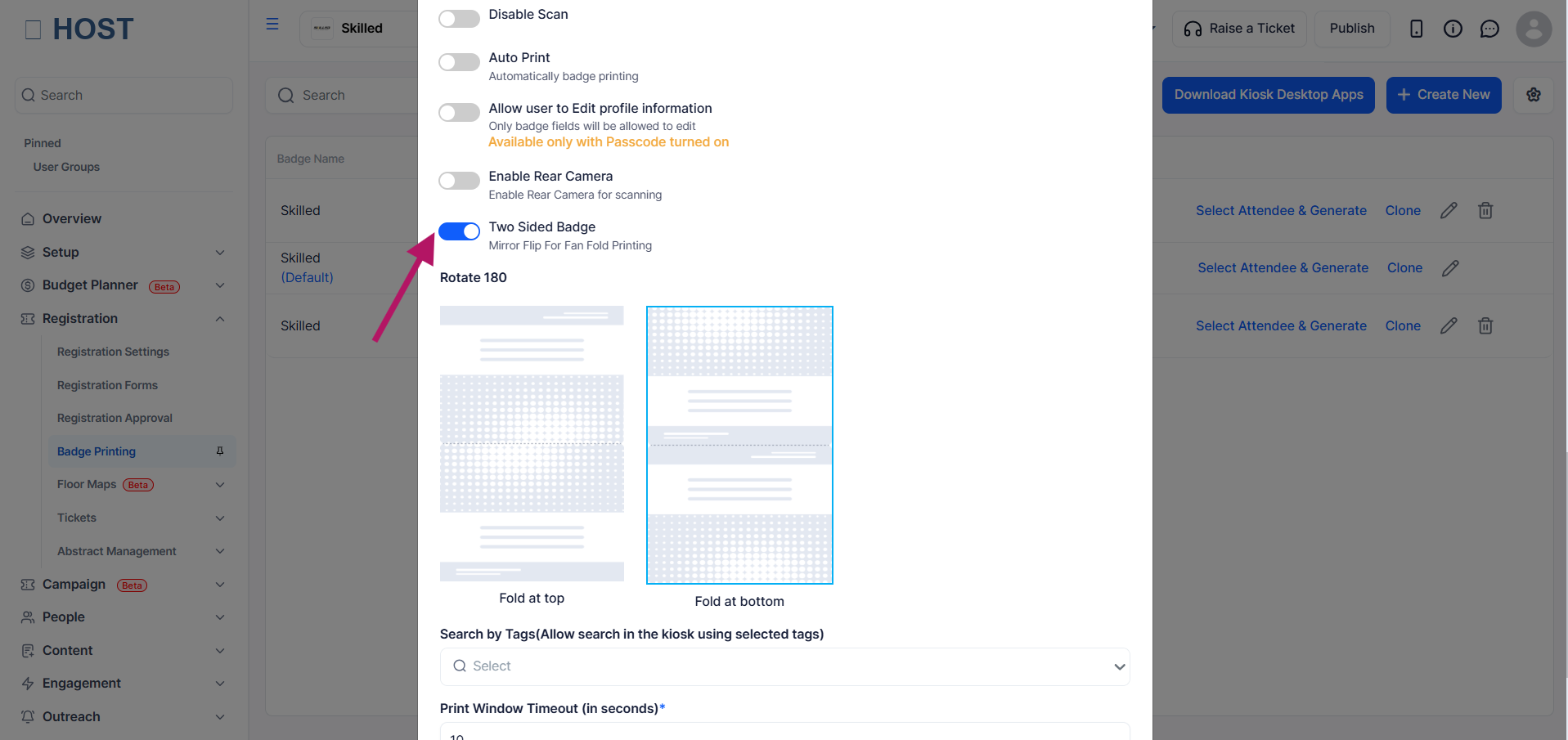
For double-sided printing, enable Two-Sided Badge in Kiosk Setup. Choose Fold at Top (portrait) or Fold at Bottom (landscape) to set the fold orientation.
Badge templates are assigned to User Groups such as Attendee, Exhibitor, Admin, etc. This means each group can have its own badge design, and attendees will receive badges based on their assigned group.