

Event Site Map Creator Software
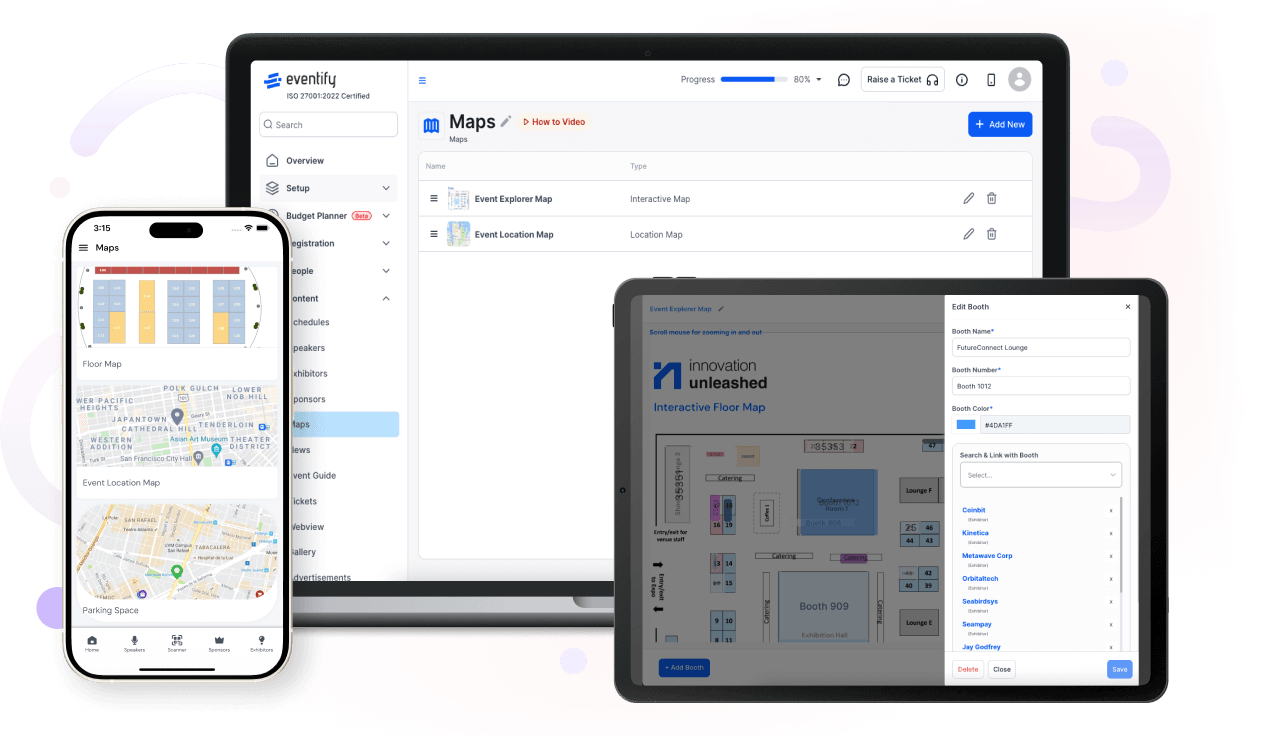
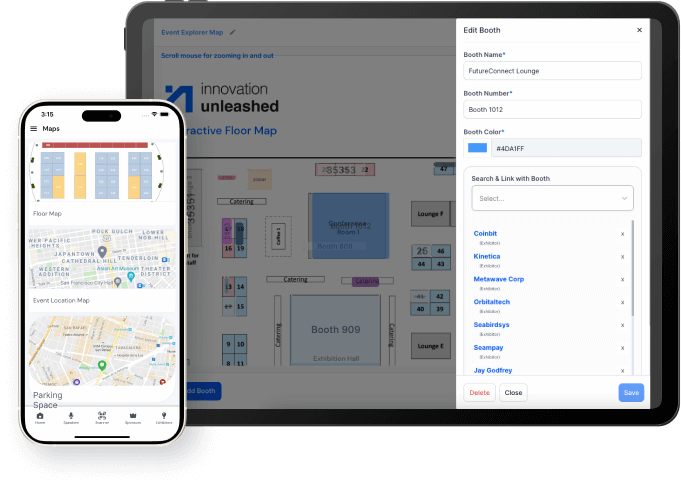
HOST software offers interactive event floor maps, allowing for embeddable widgets, booth numbers, booth selections, navigation, and more. Event layout, design and tools are helpful for Exhibitors. HOST's Interactive event map maker app enables the attendees to access a map of the exhibitor floor and the locations of each booth. Zoom in and out and move to the left, right, up, or down to locate specific Exhibitors.
Interactive Map
Customize Maps With Our Event Map Creator
Our interactive event floor plan designer is flexible, built-in and, the best in the event industry. Not only can our maps be themed and customized, but they also can be dynamically updated. You can update the floorplan using HOST's custom interactive map maker, and every attendee will see it on their maps.
Track
Keep a Track of Exhibitors Booth
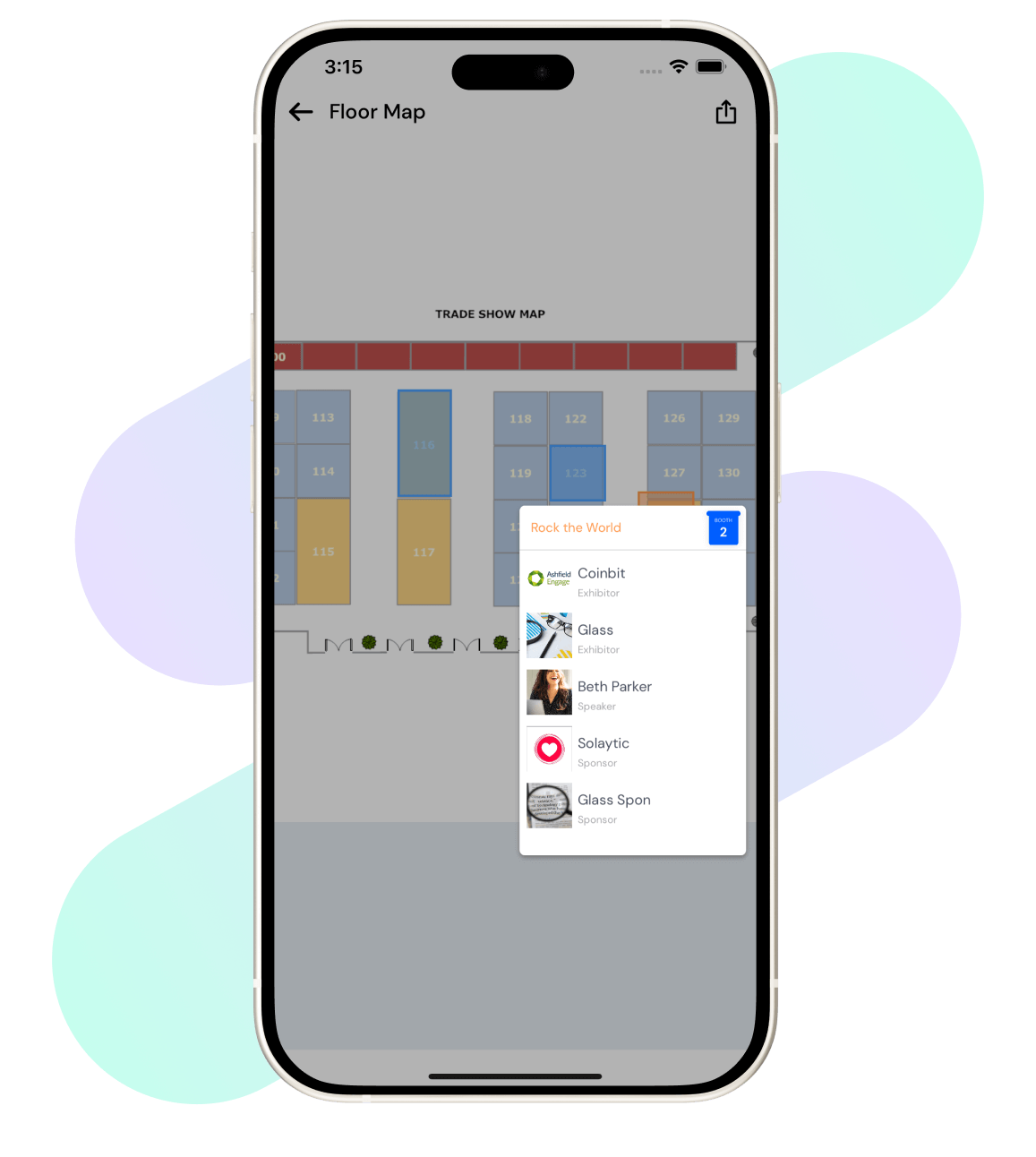
HOST's interactive event floor map creator significantly benefits everyone involved, from hosts to attendees and exhibitors. Our site map creator offers a guide for attendees to navigate the event hall and keep track of exhibitors' booths and those to visit in the future.
The Best
Experience The Best Event Site Map Creator
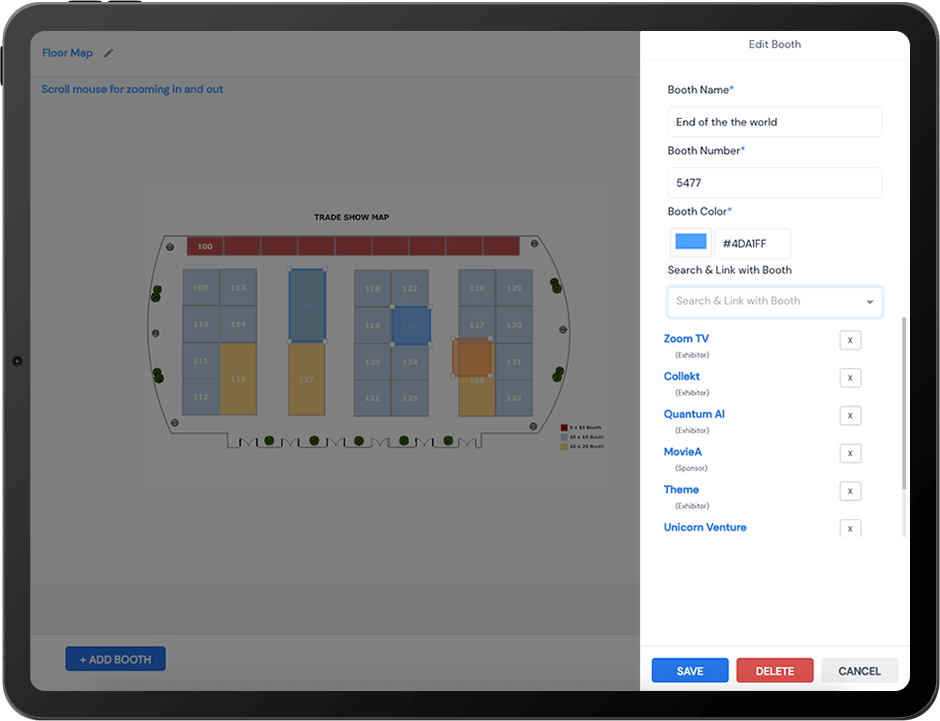
With HOST floor plan maker, experience the best Interactive maps sync with all the booths you've added to your event.
Support for a custom background image that helps you guide your floor plan's design.
The auto-layout tool lets you put all your booths on the floor plan with one click.
Event floor plan templates help in making unlimited booths and unlimited floor plans.
Customize your floor plan with texts, custom colours, shapes, and more.
Integrated with exhibitor portals, allowing for floor plan previews and booth selection.
Integrated with a mobile event app, allowing for easy pan/zoom/tap navigation.
Support for a custom background image that helps you guide your floor plan's design.
The auto-layout tool lets you put all your booths on the floor plan with one click.
Event floor plan templates help in making unlimited booths and unlimited floor plans.
Customize your floor plan with texts, custom colours, shapes, and more.
Integrated with exhibitor portals, allowing for floor plan previews and booth selection.
Integrated with a mobile event app, allowing for easy pan/zoom/tap navigation.
Frequently Asked Questions
What is HOST’s Maps or Floor Plan Builder, and what does it allow organizers to do?
HOST's Interactive event map or floor plan builder allows organizers to create a digital representation of the event venue complete with booth layouts.
What types of events benefit most from using an interactive floor plan tool?
Events like trade shows, large-scale events and conferences benefit most from using floor plan tools.
What kinds of venue layouts can be created and customized using HOST’s builder?
Organizers can create their own customized venue layouts using HOST’s floor map builders. This includes adding custom backgrounds that support the floor plan’s design and unlimited booths and unlimited floor plans.
Why is having a digital map or interactive floor plan important for attendee experience?
The attendee experience and engagement benefits largely from HOST’s floor plan builder. This is because the digital floor maps offer real-time information on session schedules and locations. This helps attendees clearly plan their schedule.
Why should I use HOST’s floor plan builder instead of static PDFs or printed layouts?
HOST’s floor plan builder offers real-time information update on sessions and locations. This helps attendees navigate the event seamlessly. Static PDF and printed layouts don’t have this option and hence don’t do much for attendee experience.
What are the key features of HOST’s Floor Plan Builder (drag-and-drop, zones, search)?
The key features of HOST’s Floor Plan Builder include:Ability to add custom background images to the design.
1Option to add all booths to the floor plan with a single click.
2Customization of floor plans with texts, custom colors and shapes.
3Option to preview floor plans and select booths.
4Easy navigation with easy pan/zoom options.
1Option to add all booths to the floor plan with a single click.
2Customization of floor plans with texts, custom colors and shapes.
3Option to preview floor plans and select booths.
4Easy navigation with easy pan/zoom options.
Does HOST support interactive maps with clickable areas, pop-ups, or navigation aids?
Yes HOST supports interactive maps with easy pan/zoom/tap navigation.
Can I embed the floor plan into the mobile event app or website?
Yes, you can use HOST’s embeddable widget to add the floor map to your event app or website.
How does HOST’s map feature help reduce attendee confusion and improve wayfinding?
HOST’s map features improves event navigation by helping attendees quickly locate sponsors, exhibitors and speakers. Attendees no longer waste precious time hunting for a specific booth - this reduces attendee confusion and improves the event experience for all stakeholders.
What advantages does a digital floor plan offer for sponsor visibility and exhibitor ROI?
With the help of HOST’s digital floor map exhibitors are better equipped to showcase their booth location. In addition, exhibitors and sponsors can include information on the map about their products and services. This visibility improves ROI.
How does the floor plan builder support logistics planning and onsite operations?
Yes the digital representation of the entire event venue complete with allocated booths and spaces for amenities like restrooms, charging points, cafeterias - all support logistics planning and make onsite operations easy.
What problem does HOST solve for organizers managing large or complex venues?
HOST’s floor map builder helps organizers manage large and complex venues with a detailed digital representation of the venue.
Schedule a
personalized demo.
See how HOST can enhance the event experience for your attendees. Discover how mobile innovations are transforming events. Get a free demo tailored to your event objectives.

Features
Explore Our Most
Popular Features


Love the Smell Of Events Every Morning Like Us?
We're Totally Obsessed To Make Your Event Succeed!
Please Fill Out The Form To Request A Demo & Let us Convince You Why You Must Switch To HOST!
* PS: Nobody can match our pricing :-)
Please Fill Out The Form To Request A Demo & Let us Convince You Why You Must Switch To HOST!
* PS: Nobody can match our pricing :-)
Request a Demo
Tell us a bit about your event and our team will reach out to schedule your personalized demo.

