Bulk assigning users to sessions allows you to efficiently add multiple users—such as speakers or attendees. Follow the steps below to bulk assign users to sessions:
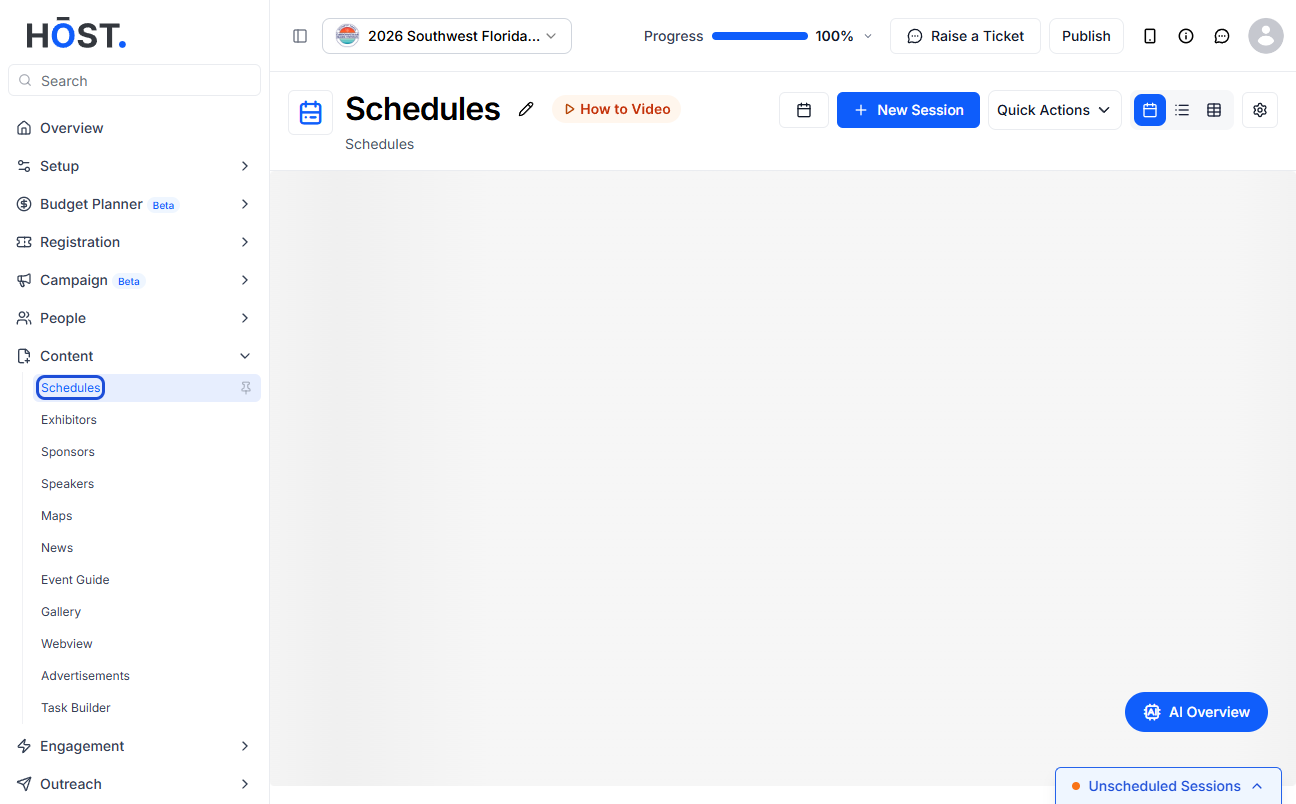
1: Go to Content > Schedules and click the “Quick Actions” button.
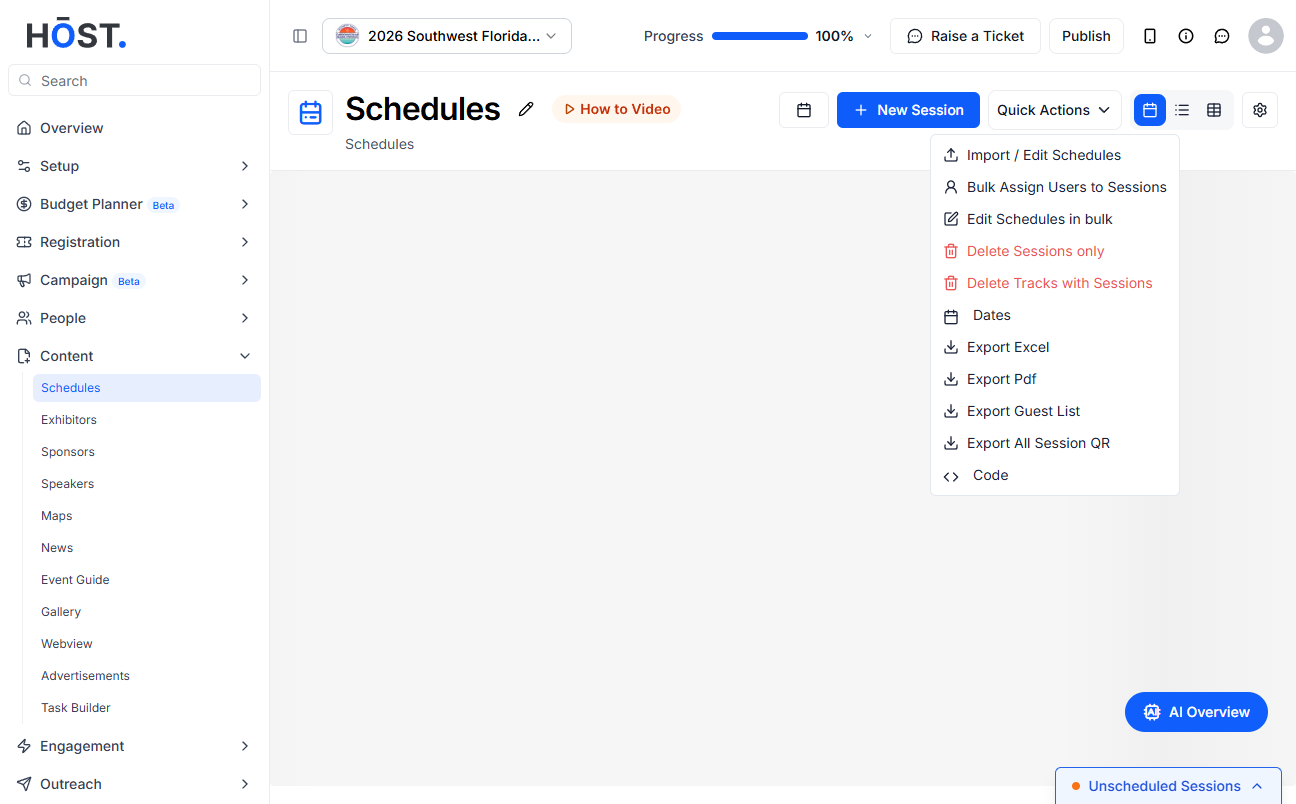
2: Select “Bulk Assign Users to Sessions” from the Quick Actions menu.
3: Download the Sample CSV or XLS template and fill it in with your user-to-session assignments, keeping the column headers unchanged.
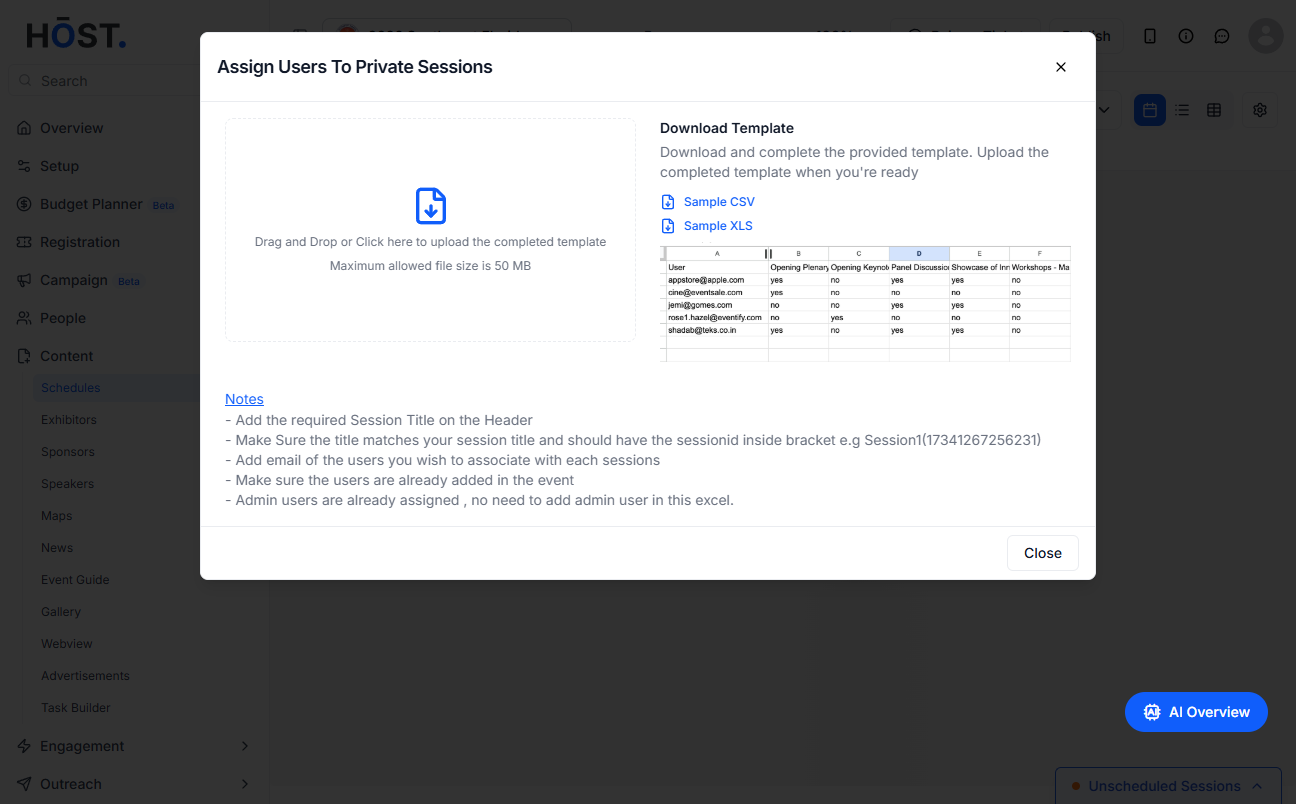
4: Upload your completed file to bulk assign the users to their sessions.

