
A Buy X Get Y coupon rewards attendees who purchase a specified quantity of tickets by giving them additional tickets for free. For example: buy 2 tickets, get 1 free.
Go to Registration → Tickets → Promo-Discounts and click Create Discount.
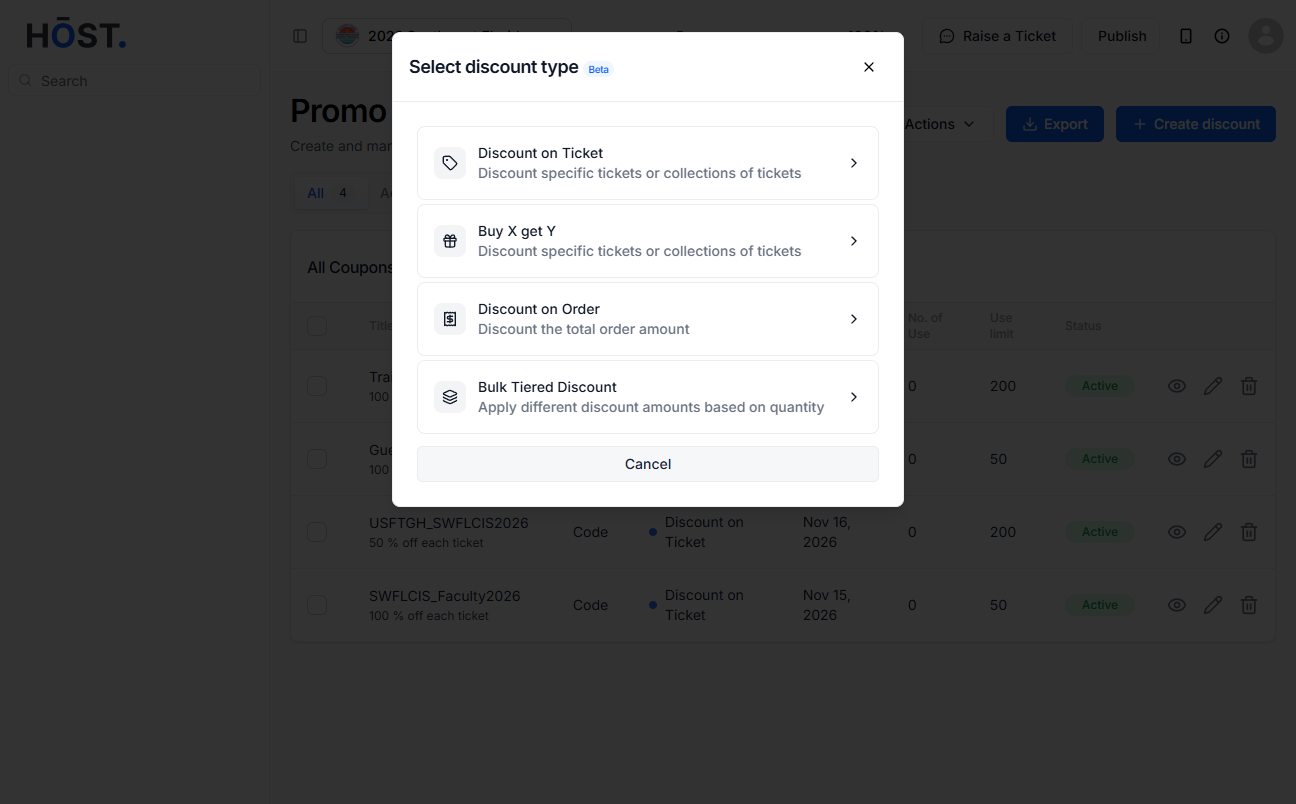
Click the Buy X Get Y card from the four discount type options.
Choose Discount Code or Automatic. For discount code, customers must enter the code at checkout to apply this discount. For automatic, discount will be automatically applied at checkout when conditions are met.
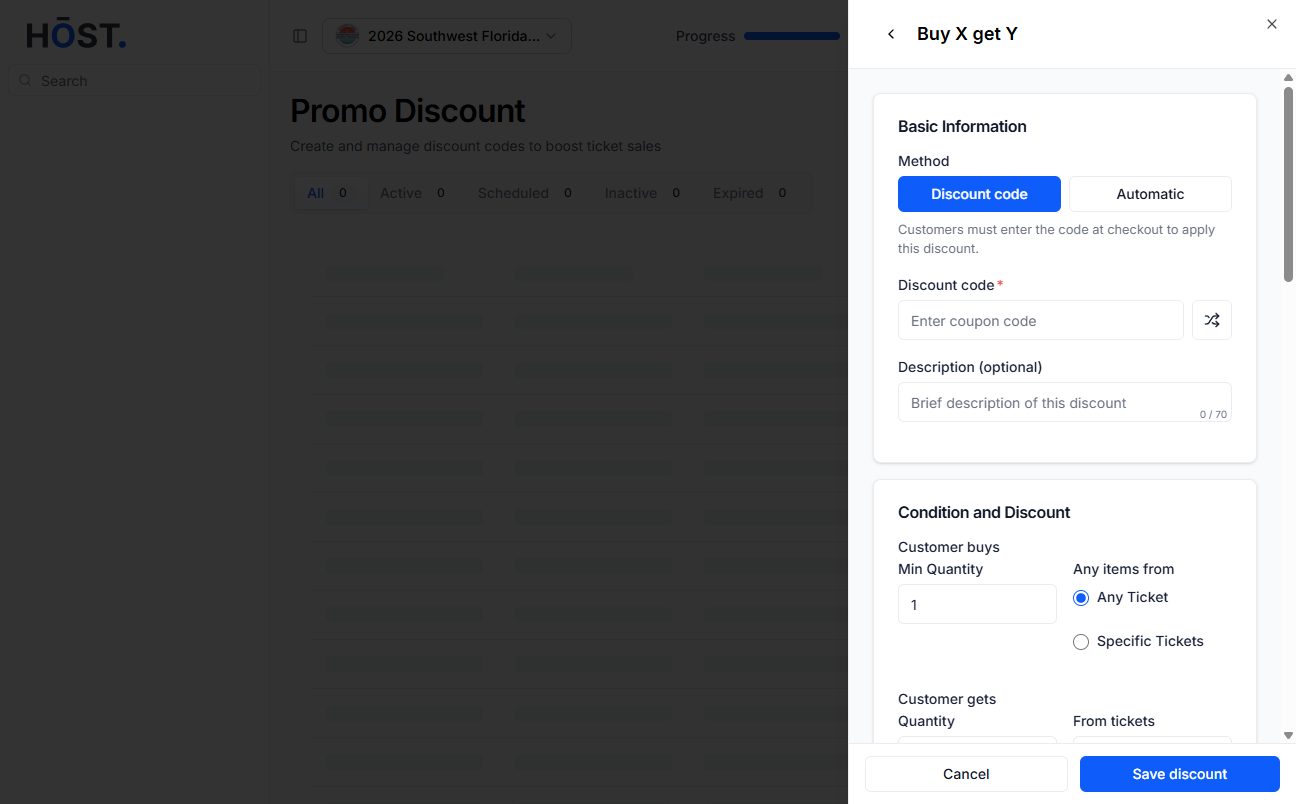
Define the minimum quantity of tickets a customer must purchase and specify whether the condition applies to any ticket or selected ticket types.
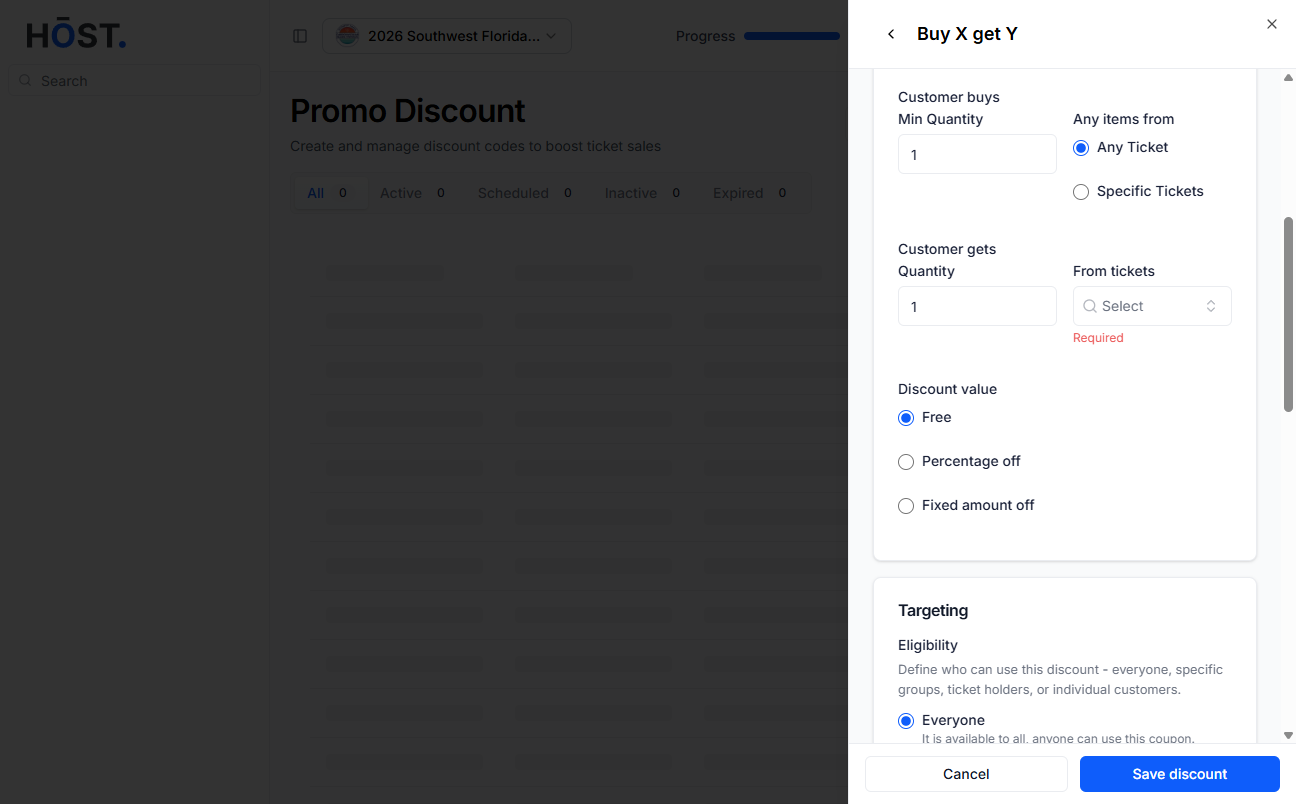
Set the quantity of tickets the customer will receive and select the ticket type to be given, then choose how the discount should be applied by selecting Free, Percentage off, or Fixed amount off and entering the corresponding value where required.
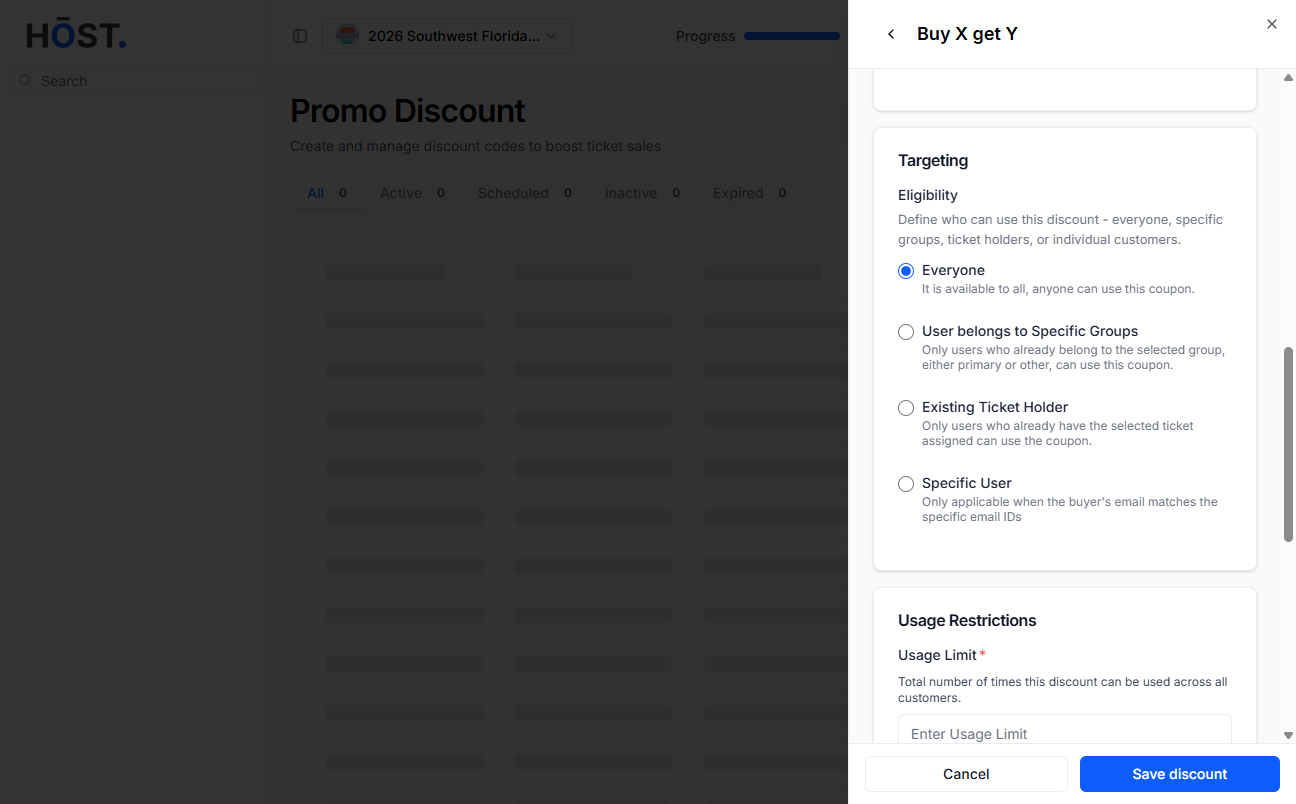
Configure eligibility (all / specific group / specific ticket / specific customers), usage limits, and start/end dates in the same way as a standard discount coupon.
Note: Per-ticket redemption limits are not available for Buy X Get Y coupons.
Set the status to Enabled or Disabled, then click Save discount.
If the coupon is set to “buy 2 General Admission tickets and get 1 VIP ticket free,” a customer who purchases 2 eligible tickets will automatically receive 1 VIP ticket at no cost.
