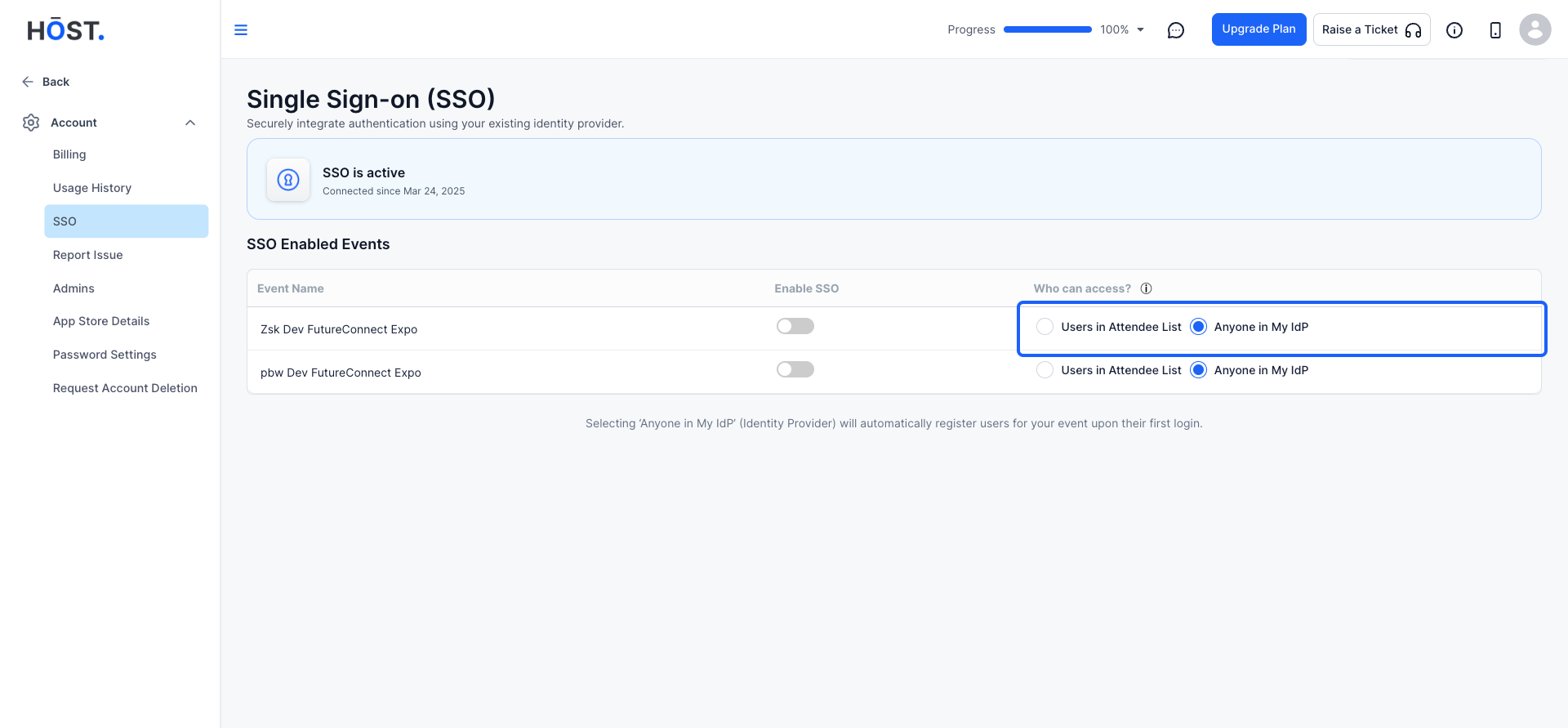
Enable SSO (available as an add-on) for Your Event and Streamline Access for Attendees, Exhibitors, and Team Members. Here's how you can do it-
1: Visit the HOST Admin Panel by navigating to https://app.hostlife.io/login and entering your credentials.
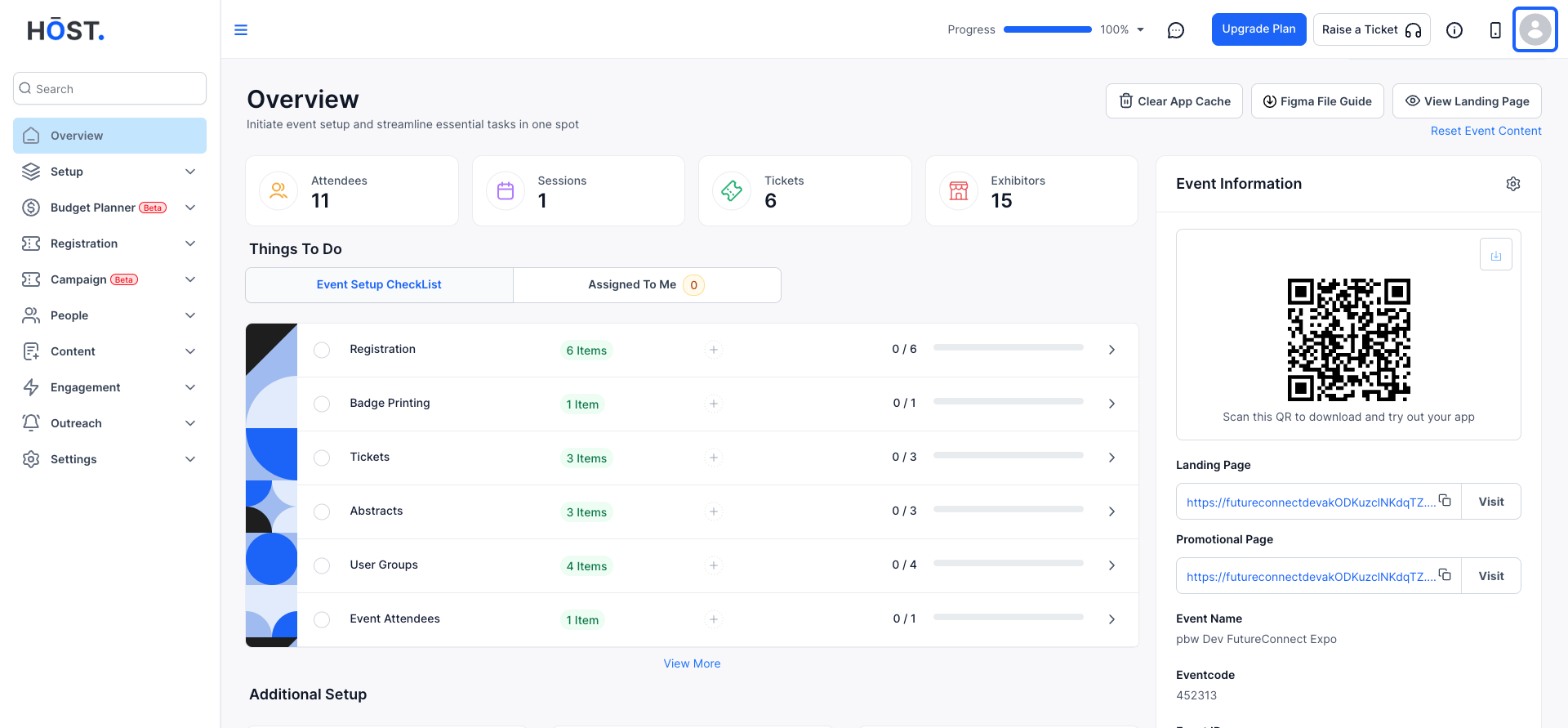
Click on your profile icon (top-right corner).
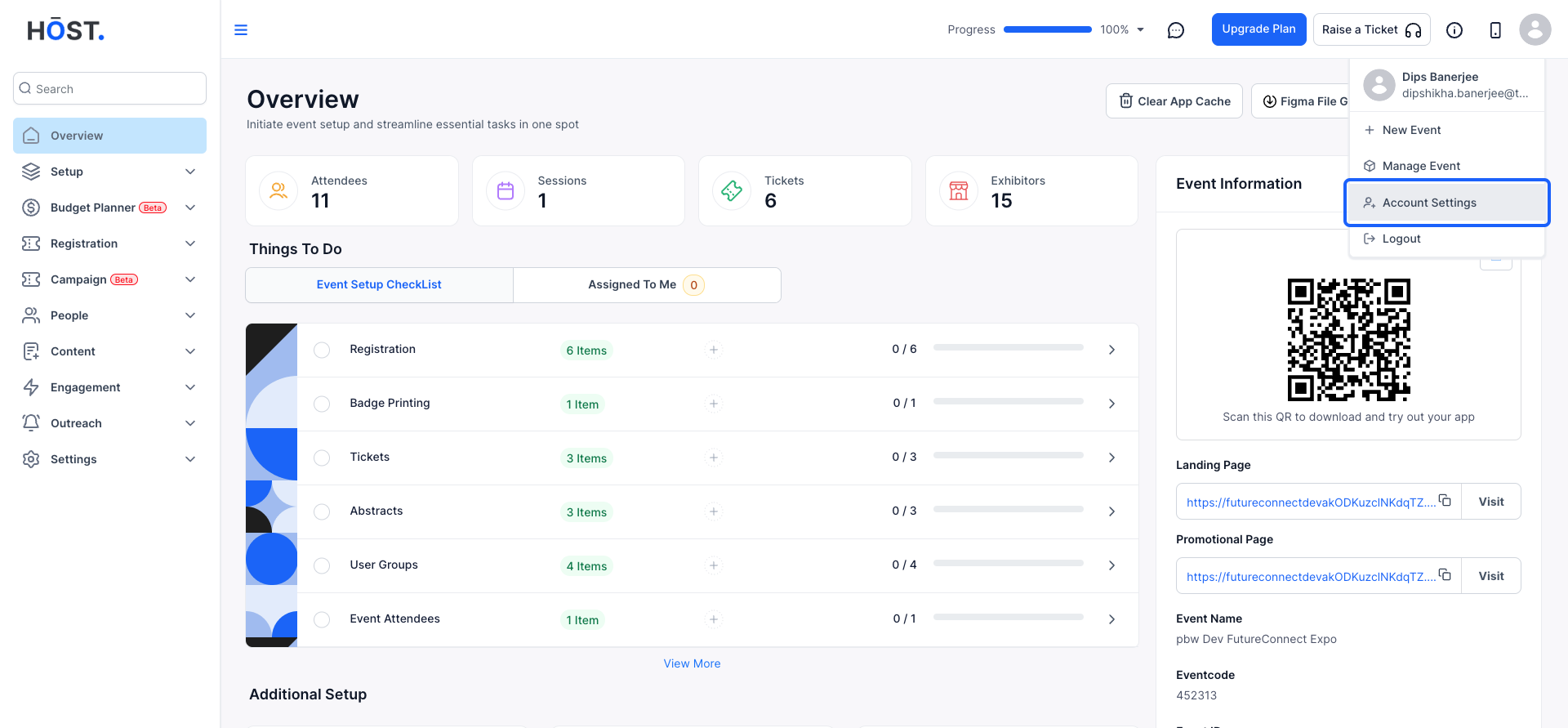
2: Select Account Settings from the dropdown menu.
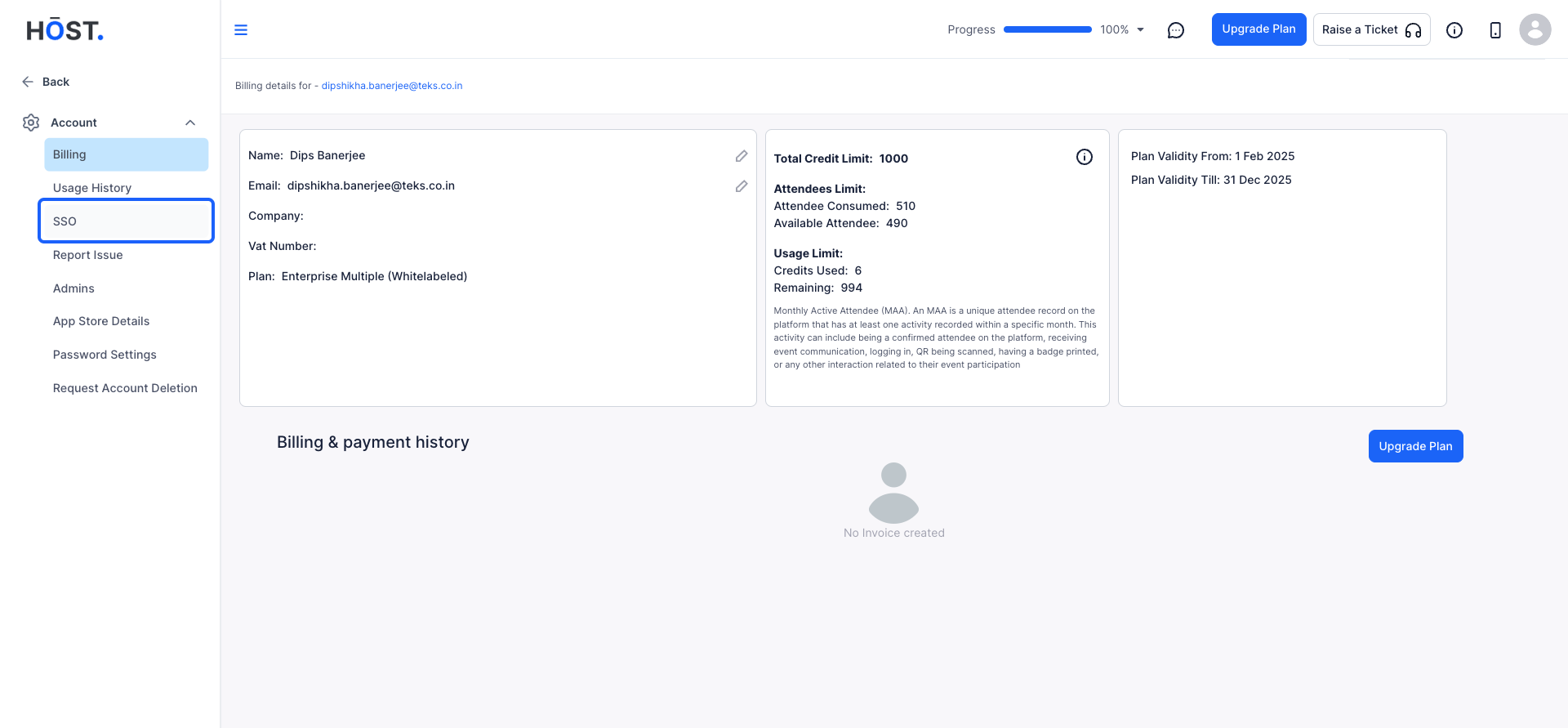
3: In the account settings menu, find the SSO section.
4: If SSO is not yet enabled, you will see an option to Request Access.
SSO is available as an add-on and requires an additional purchase. To enable SSO, please contact us.
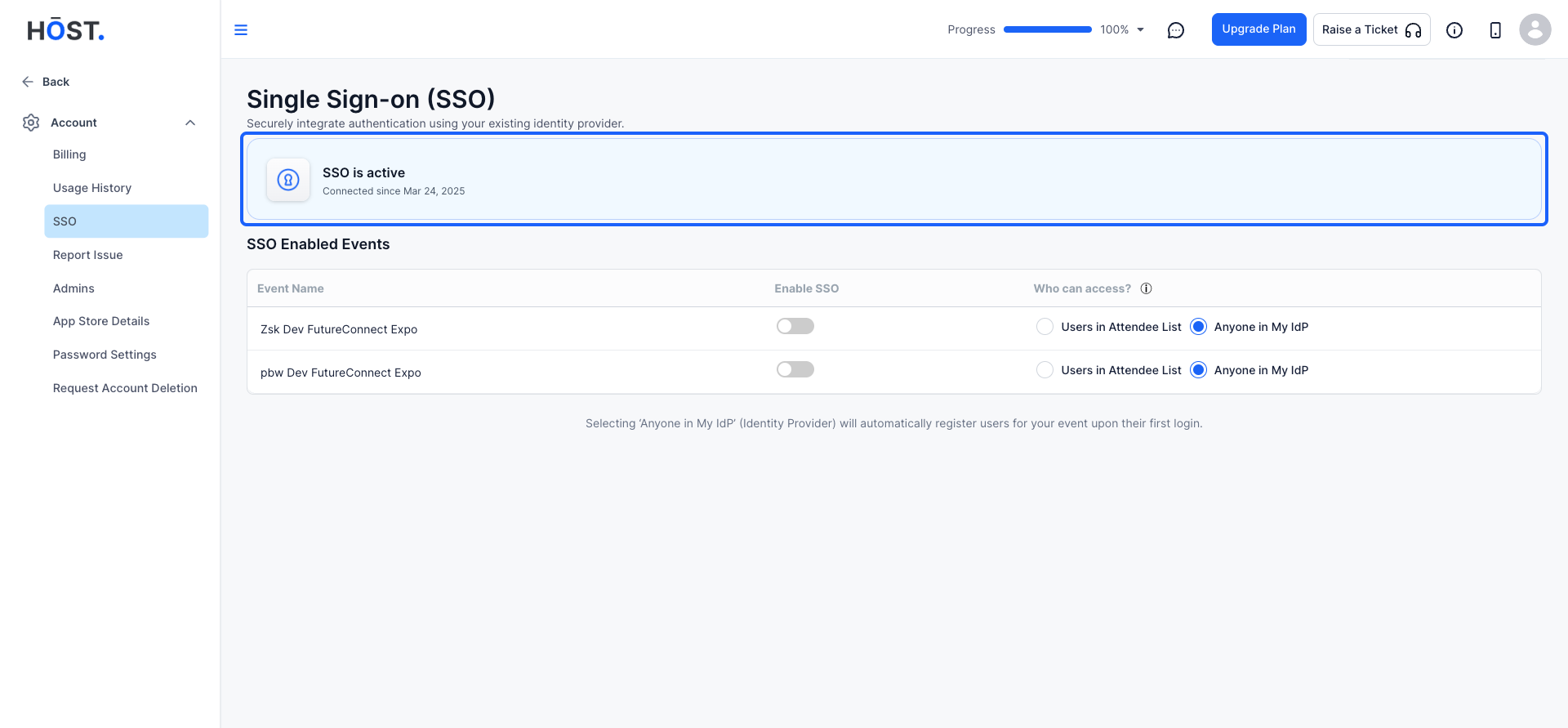
5: If SSO is already enabled for your account, you will see a list of SSO-enabled events under this section. Find the event for which you want to enable SSO
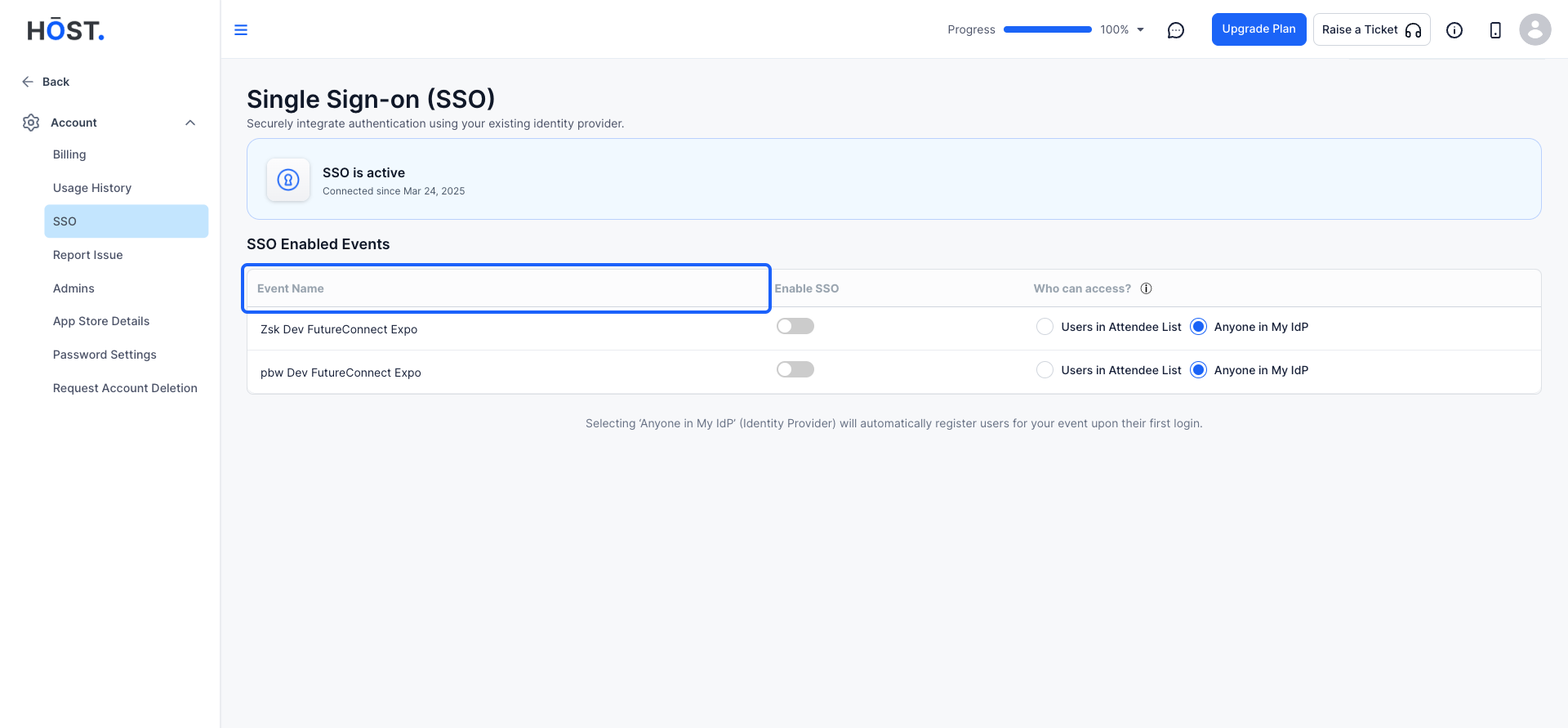
6: Select the event name from the list.
Click on the "Enable SSO" button.
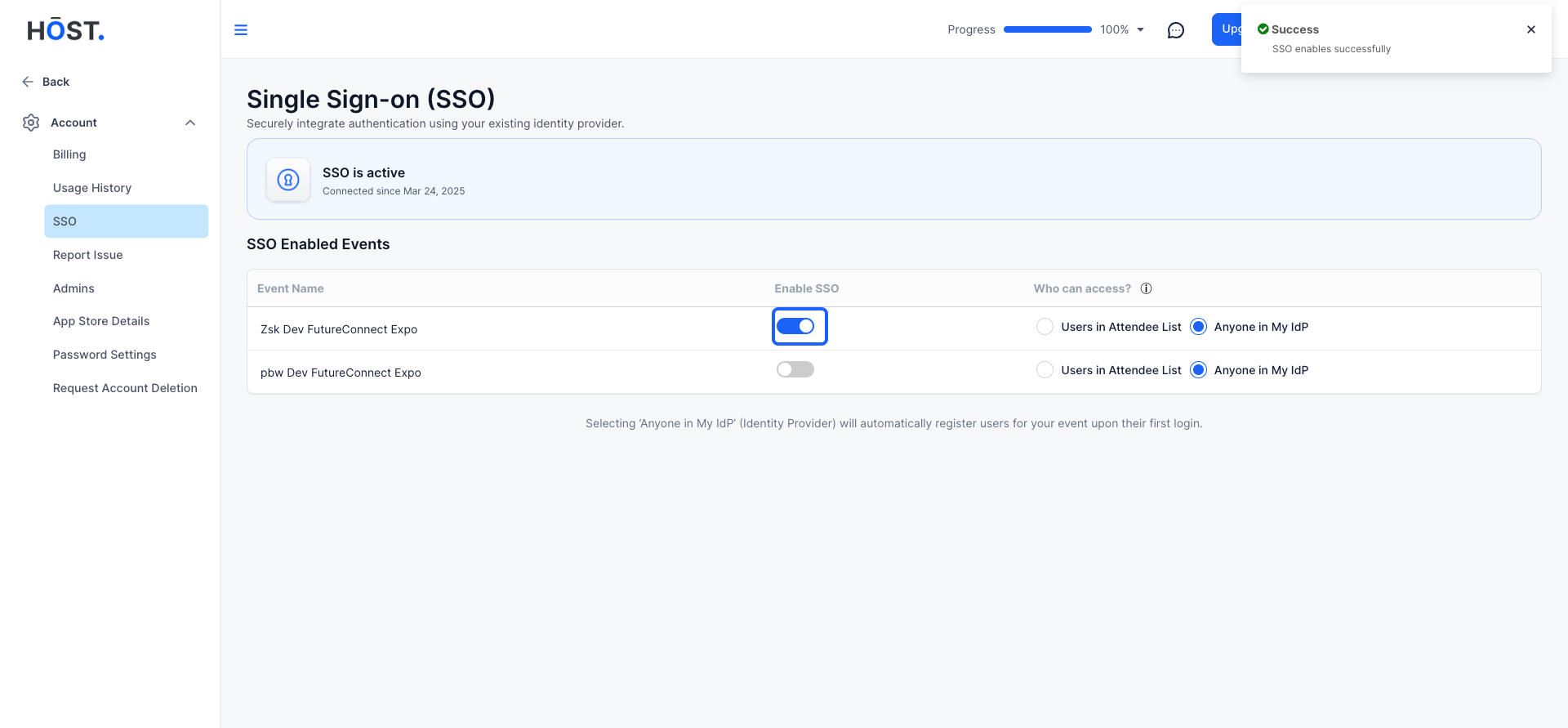
7: After enabling SSO, you need to define who can access the event.
Under “Who can access?”, select the appropriate option:
‘Anyone in My IdP’ (Identity Provider): This automatically registers users for your event upon their first login.