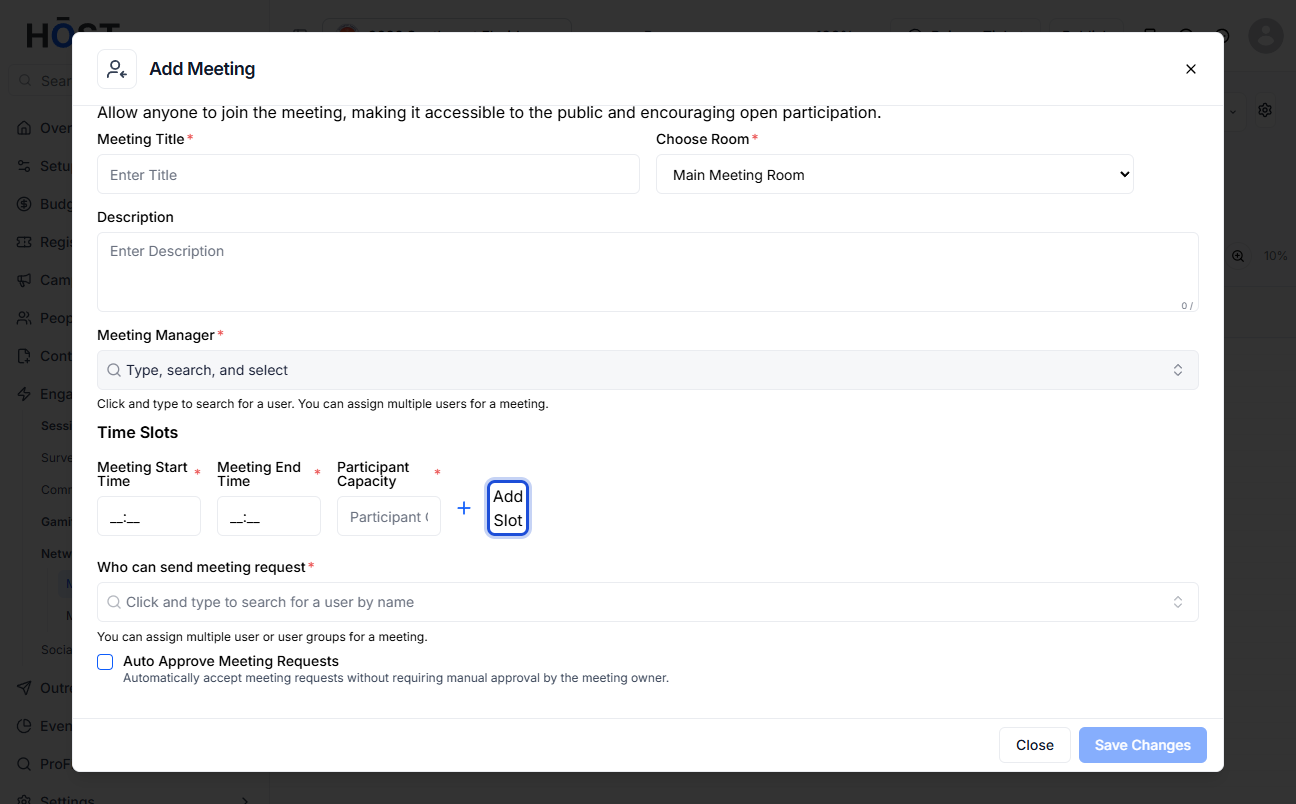
Pre-creating a one-to-one meeting allows organizers to schedule specific attendee meetings in advance without waiting for participant action. Follow the steps below to pre-create a one-to-one meeting in HOST.
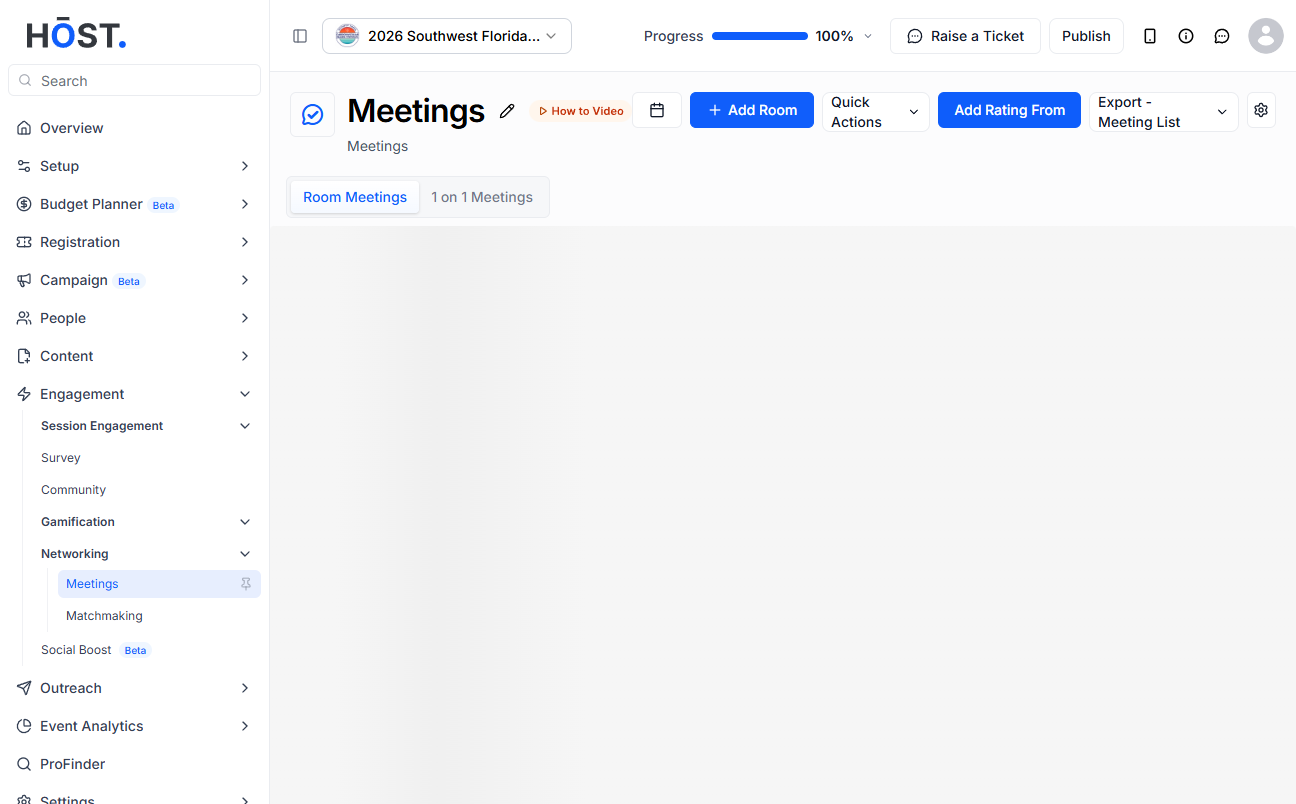
1: Go to Engagement > Networking > Meetings and click the “New Meeting” button.
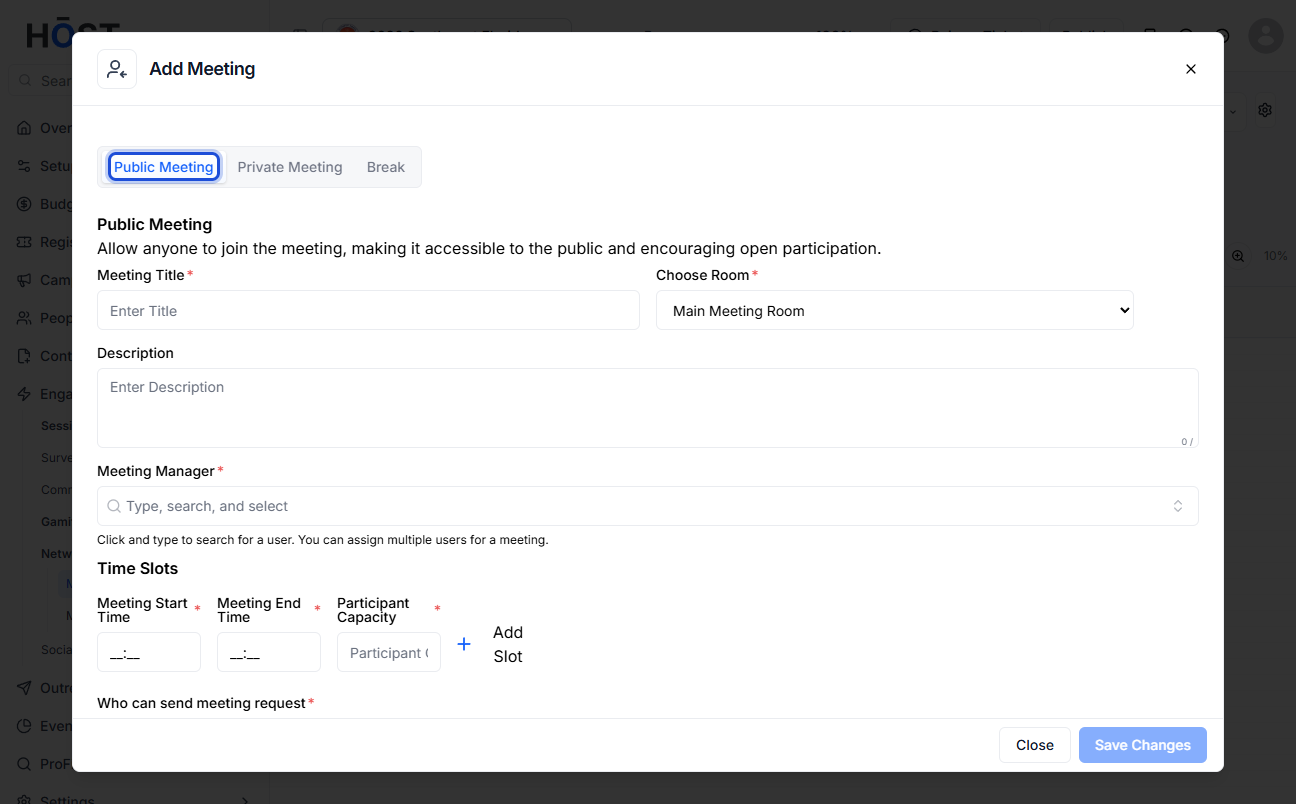
2: In the Add Meeting dialog, select the “Private Meeting” tab to create a one-to-one meeting. Enter a Meeting Title and choose an existing Room from the dropdown (or add a new room if none exist).
3: Set the meeting's Start Time and End Time and add a Meeting Description if needed.
4: Add one or more meeting participants, then click the “Save Changes” button to create the private meeting.